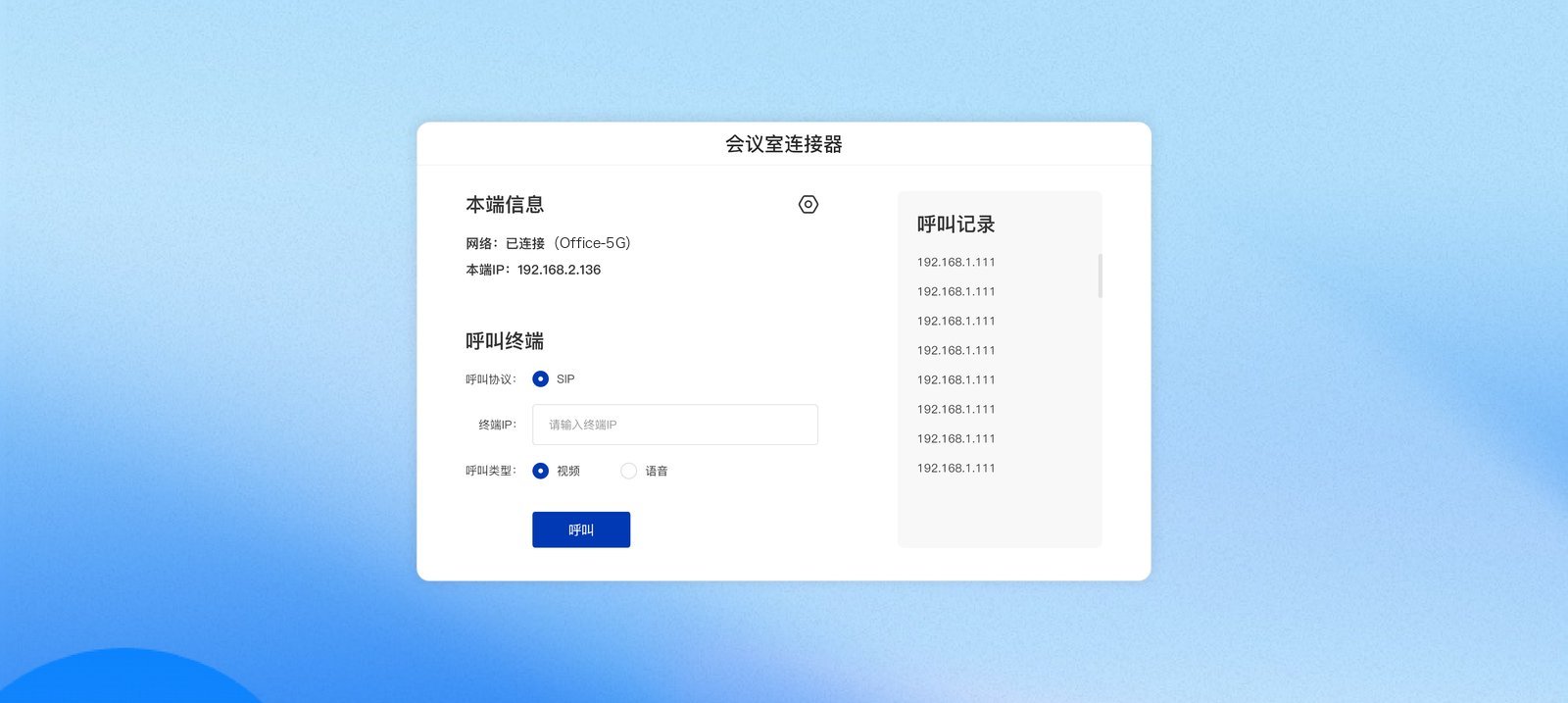
The Soft SIP / H.323 endpoint is an Android app (titled “会议室连接器” (Room Connector) inside the app). Install it on a meeting room’s Android large display, all-in-one unit, or set-top box, and that device becomes a standard SIP / H.323 video conferencing endpoint—without buying a separate hardware endpoint, it can call and be called by endpoints and MCUs from brands such as Huawei and Kedacom, and enter meetings on our platform. Soft endpoint home

Use cases

  • The meeting room already has an Android large display / all-in-one unit and you want to connect it to an existing SIP / H.323 video conferencing system at low cost
  • A video wall or command-center display needs to join a higher-level organization’s video conference as an endpoint
  • Use it with our meeting platform: register to the device gateway and dial the meeting ID to enter; see Room Connector

Main features

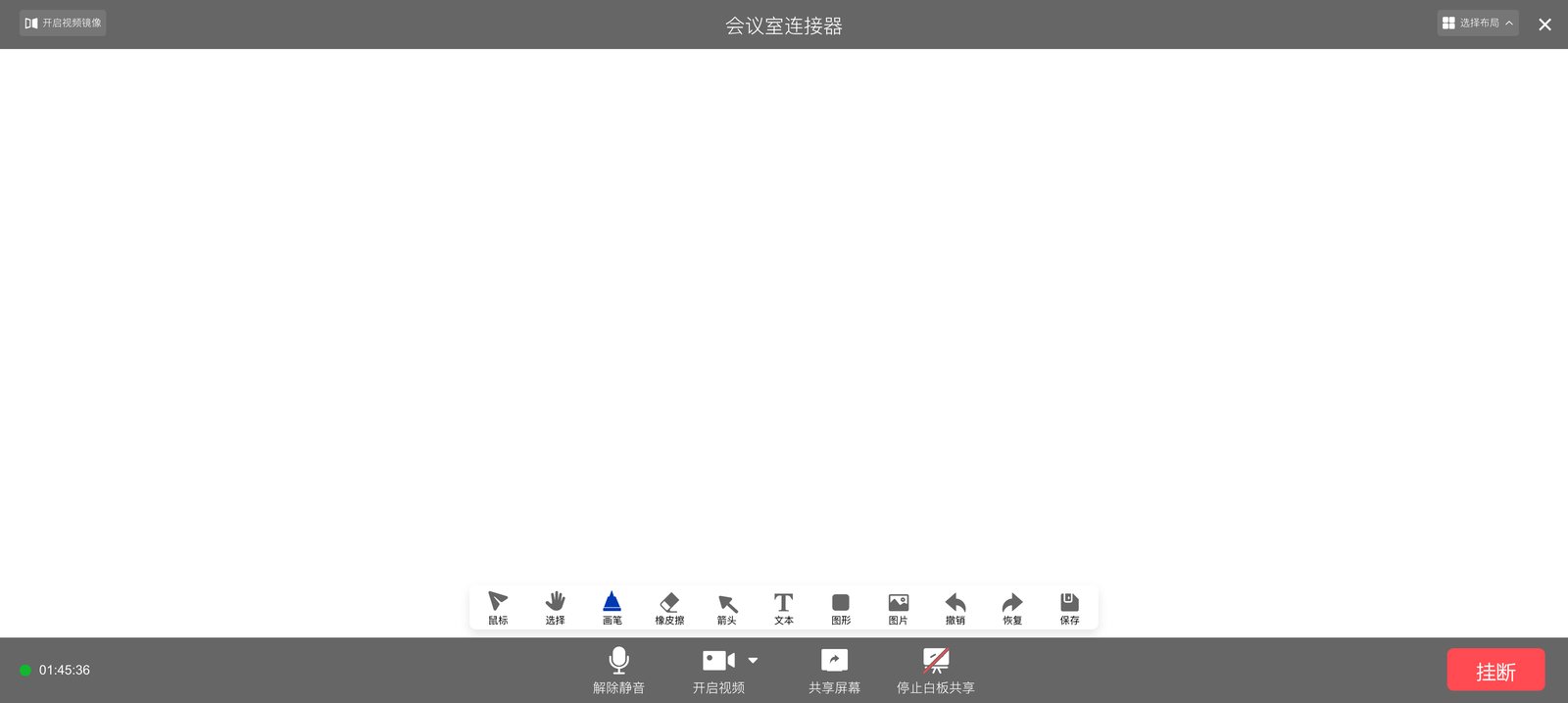
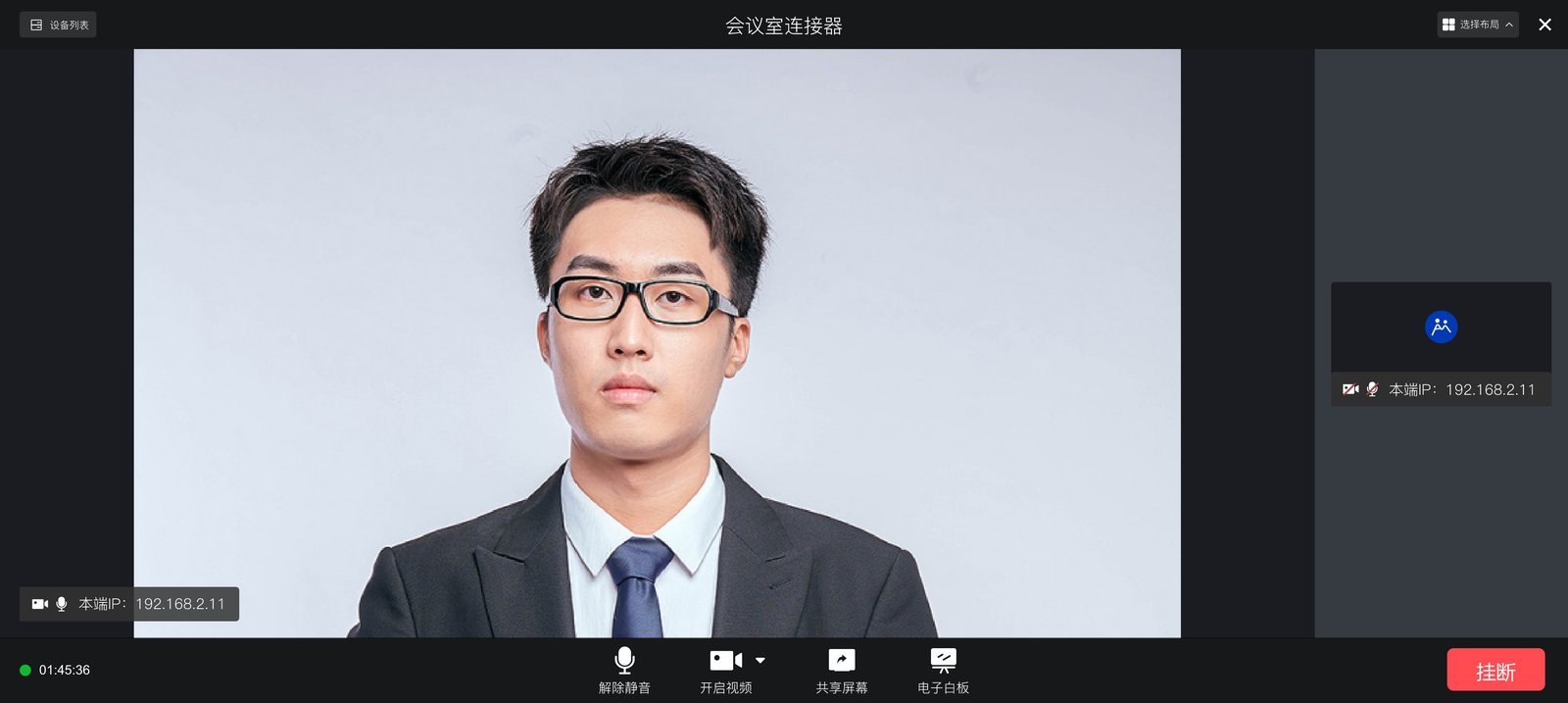
In-meeting view: In-meeting view Whiteboard: Whiteboard
How to use it

  1. Install the app and complete software activation (we provide the activation details)
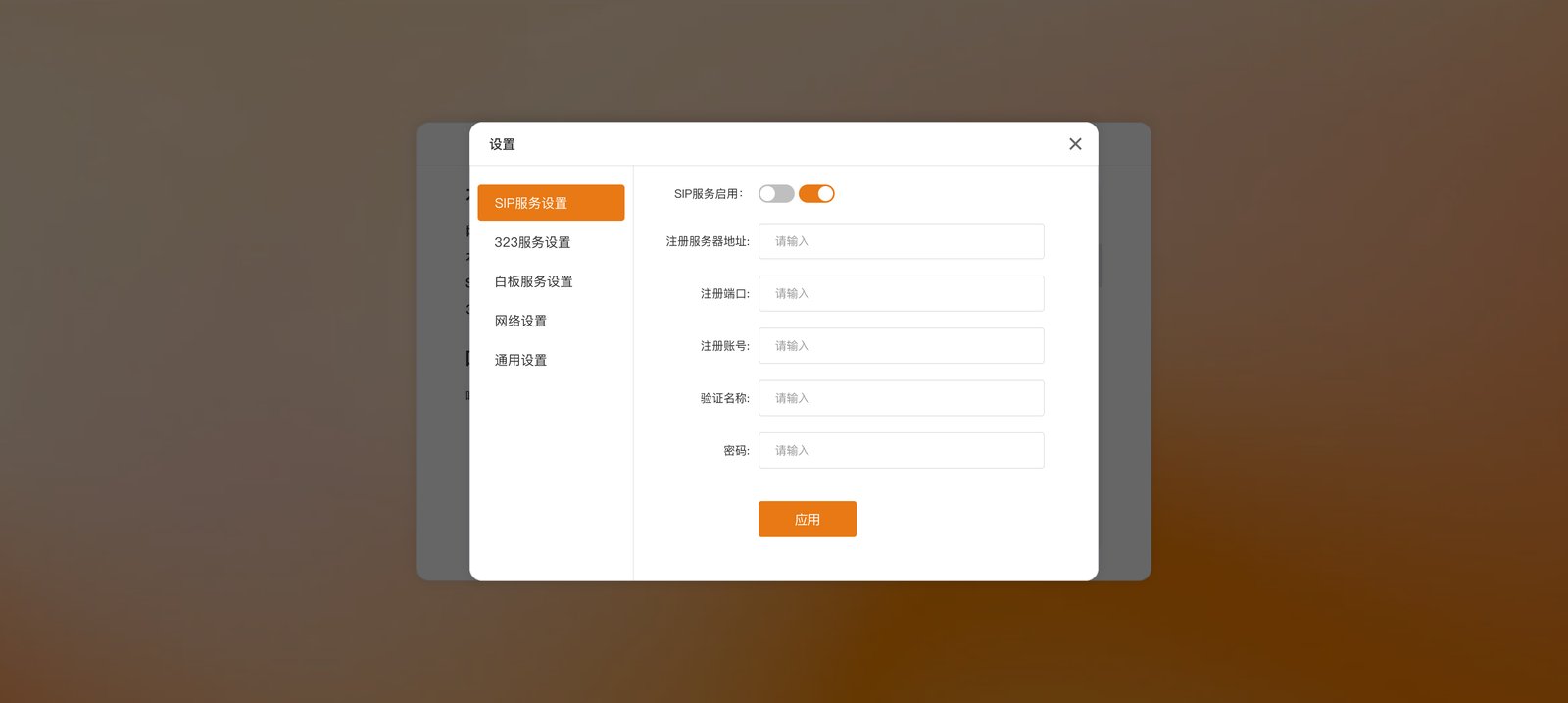
  2. Configure Settings as needed: SIP service settings
  3. Go back to the home page, choose a protocol, enter the other party’s address, and tap Call; or wait for an incoming call
To enter meetings on our platform, point the SIP / 323 service at the device gateway (create the account in the admin console), then dial the meeting ID on the home page. The steps are exactly the same as for hardware endpoints.

Get it

The soft endpoint is delivered per project. For the installation package and activation, contact us.