

1. View the platform info
Open the admin console Device management → GB28181 → Platform info: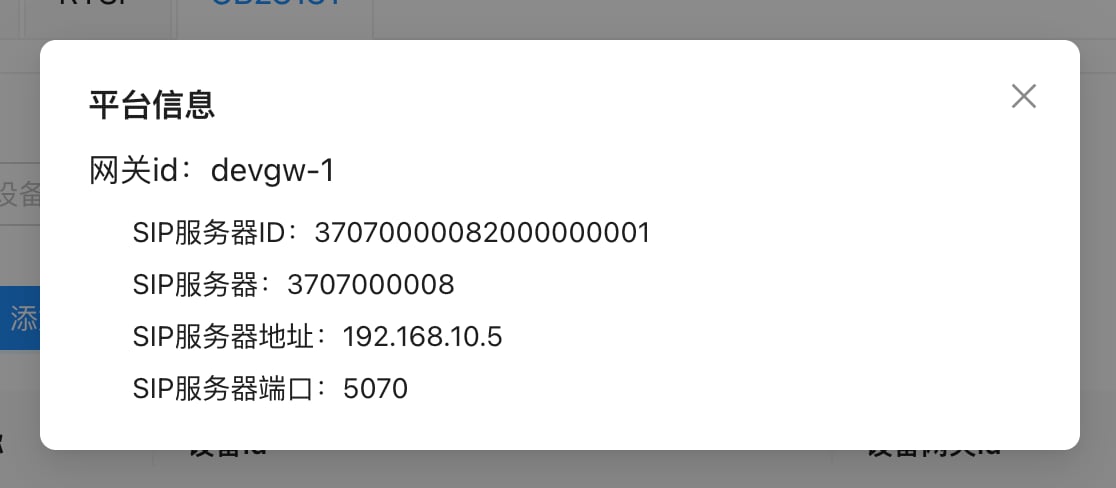
With multiple device gateways, each gateway has its own set; use the set for the gateway the camera registers to.
2. Register the device in the console
On the GB28181 tab, click Add device: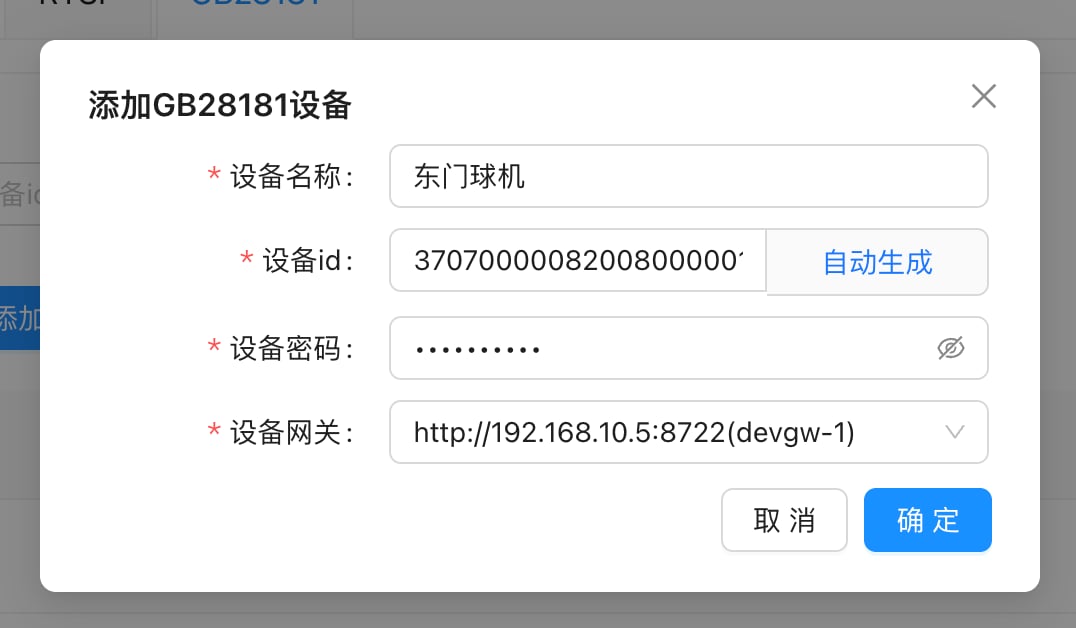
3. Configure platform access on the camera
Log in to the camera’s web management page. On Hikvision it’s under Configuration → Network → Advanced Settings → Platform Access. Set the platform access mode to 28181, enable it, and enter: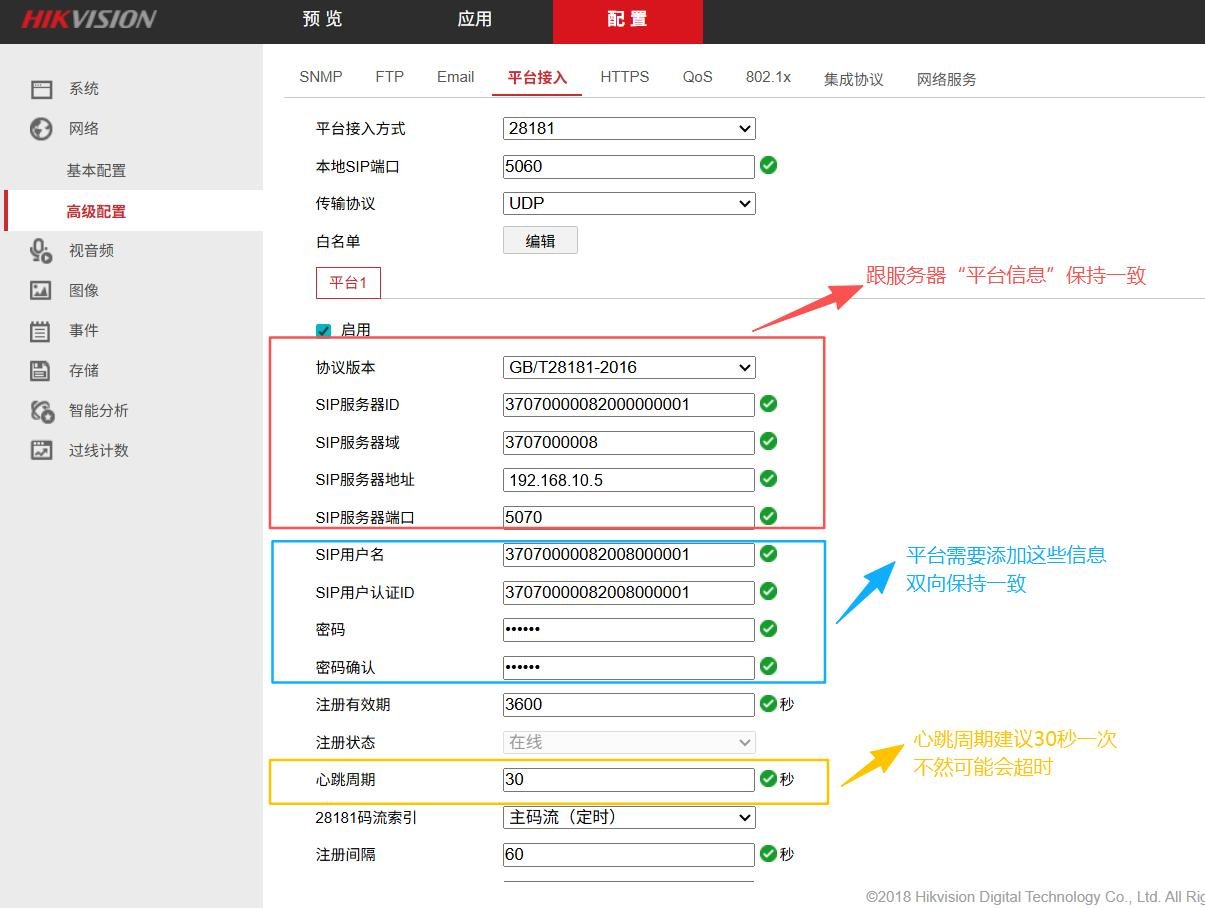
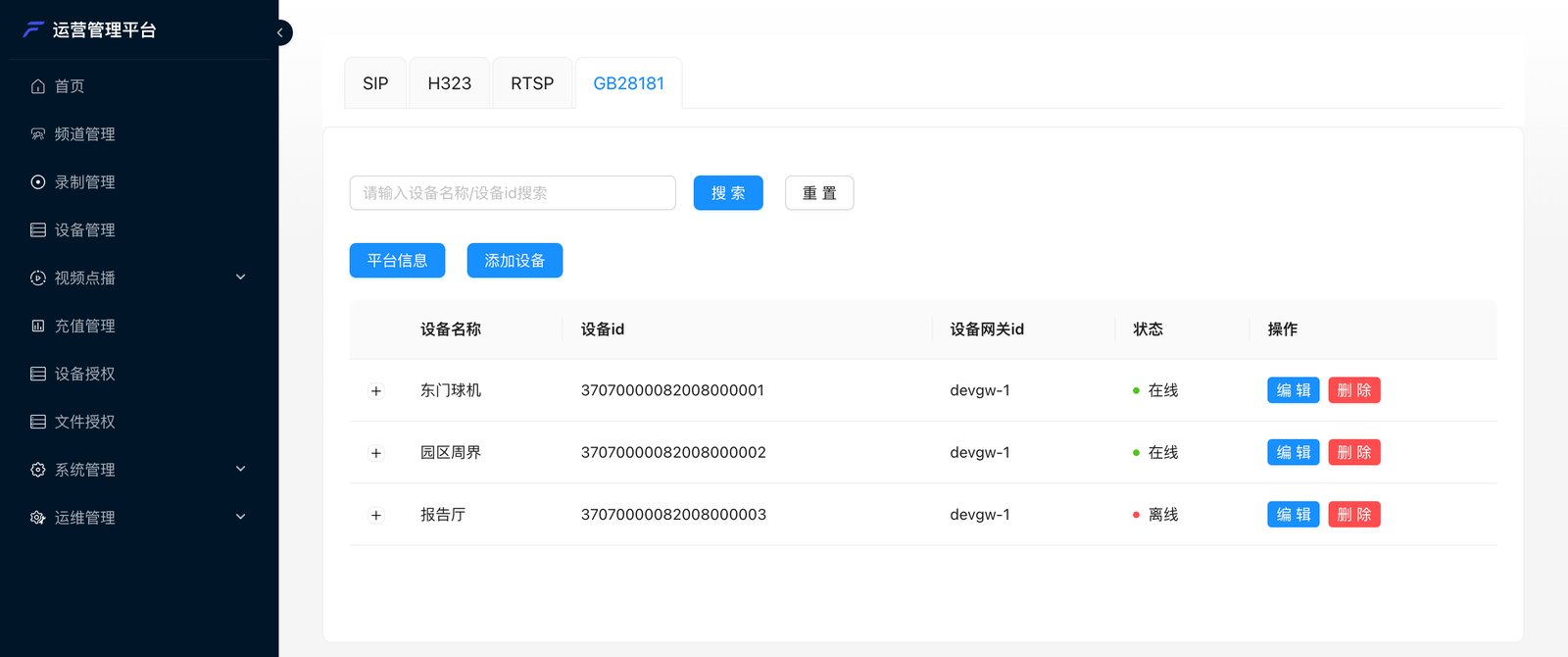
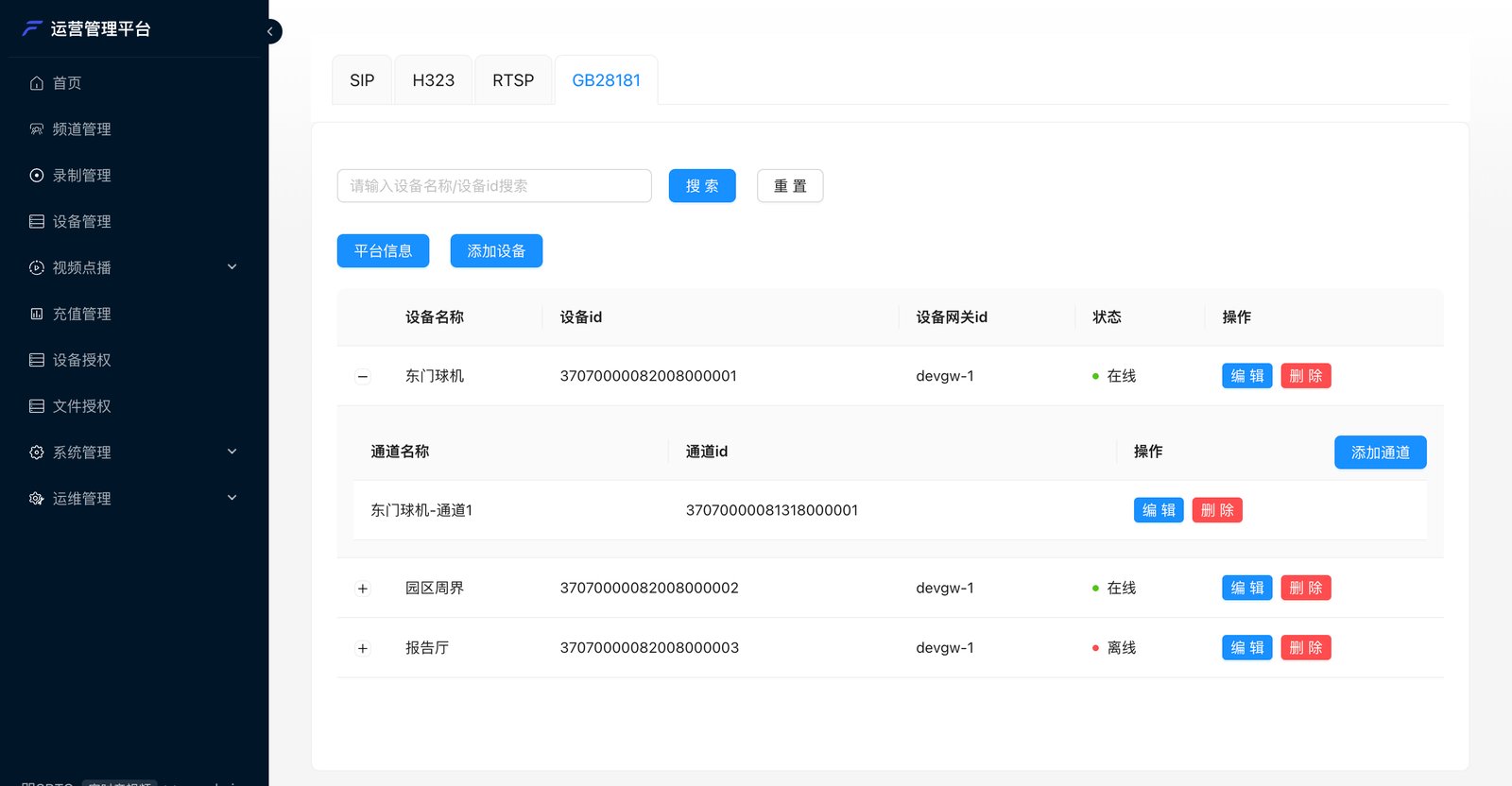
After saving, the camera’s Registration status changes to “Online”, and the status in the console’s device list also changes to Online:
4. Register channels
A device can have multiple video channels (each camera on an NVR, each stream of a PTZ camera), and the unit that enters the meeting is the GB28181 channel. First find the channel encoding on the camera: further down the same page under Encoding ID → Video Channel Encoding ID, note the channel’s encoding: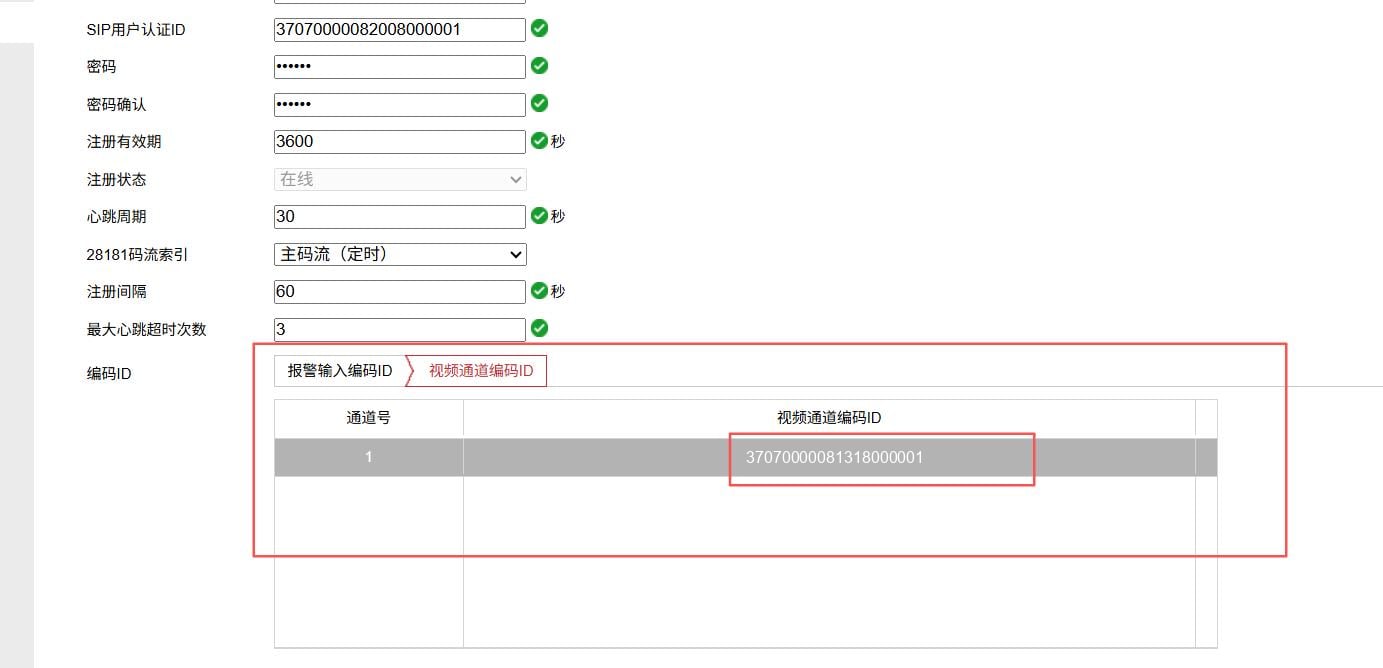
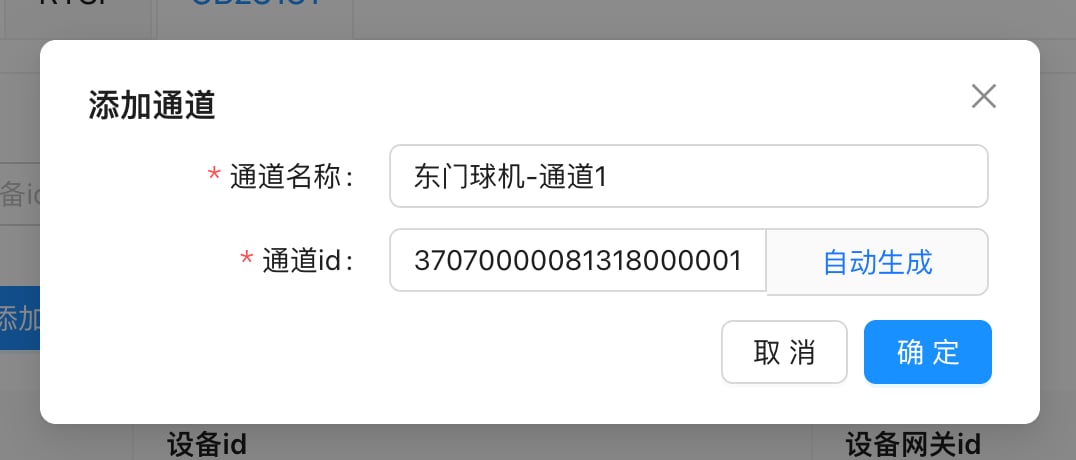
The result after adding:
5. Invite into the meeting
GB28181 cameras can’t dial in by themselves; only the platform can invite them:- Admin console: meeting details → Invite → Invite device → GB28181
- Meeting client: the host clicks Invite → Invite device
- Business system: call Invite devices to the channel; each GB28181 channel is one invitation