

rtsp://...), you can pull its video into a meeting. The device doesn’t need to support GB28181
or register—the device gateway pulls the stream itself.
1. Prepare the stream URL
First open the stream URL in a player (such as VLC). Continue only once it plays. Common formats:
Check the device manual for specifics. If the device requires login, put the username and password in the URL.
2. Register it in the console
Admin console Device management → RTSP → Add account: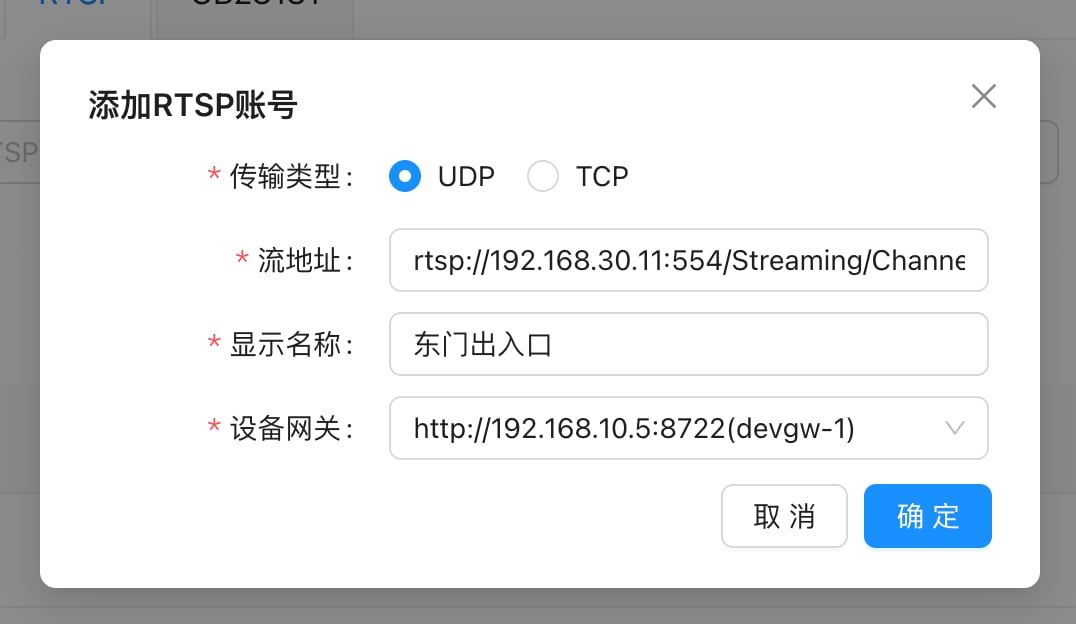
The list after registering:
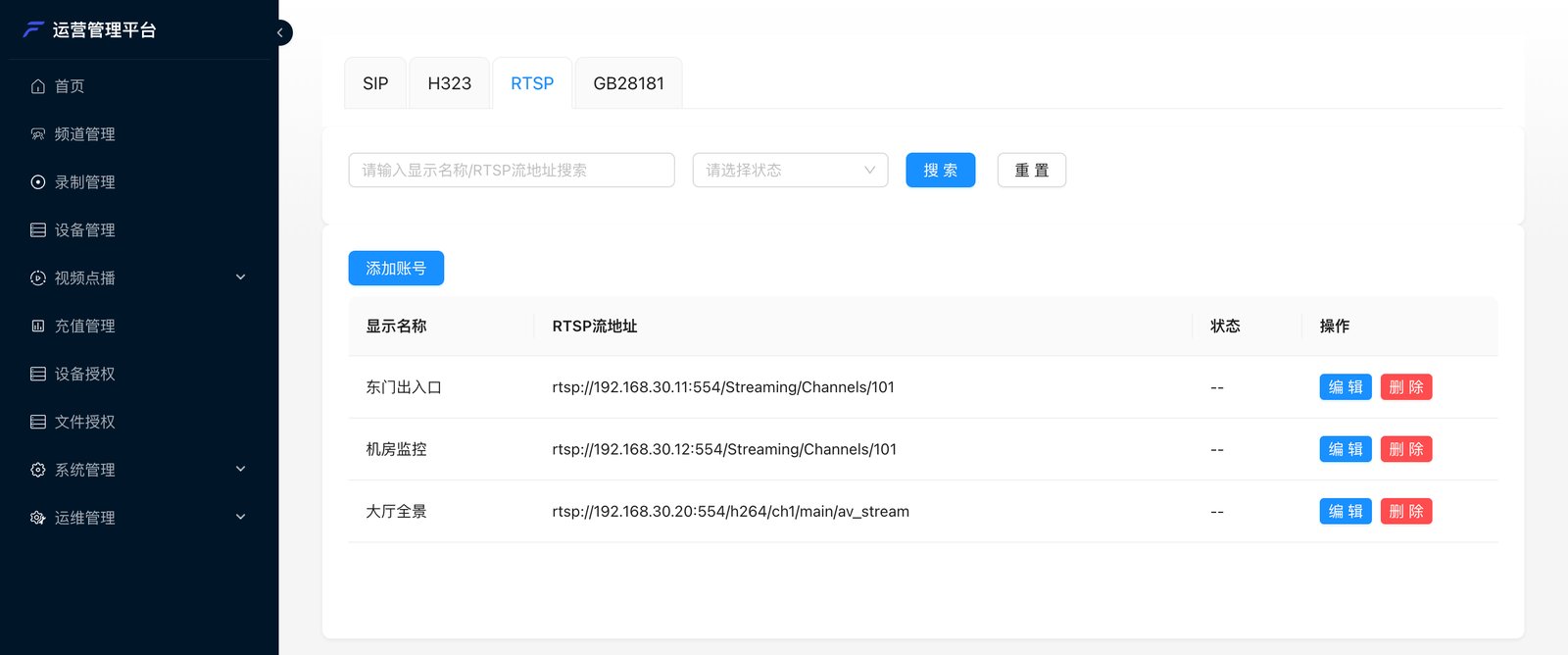
-- in the list is normal—the gateway pulls the stream only when it’s invited into a meeting.
3. Invite into the meeting
- Admin console: meeting details → Invite → Invite device → Surveillance cameras
- Meeting client: the host clicks Invite → Invite device → Surveillance cameras
- Business system: call Invite devices to the channel