

Directory structure
Integration options
Add the source code directly
This UI demo project is built as an MSVC + Qt project. If you also develop with MSVC + Qt, you can copy the entire source code into your project, then use the methods provided in the shortcut method calls (DemoControl.h) to switch windows or call features (you can of course also modify the code to meet your needs)
Note: because QWKWidgets windows are used, call the following before QApplication is initialized
Use the dynamic library
If you don’t develop with MSVC + Qt, you can’t add this source code to your project. Instead, you can use the compiled DLL and call the code in the program through dynamic library linking. (If you can’t build it, contact us for the files.) The methods in the shortcut method calls (DemoControl.h) are exported as C functions, so most developers can call them to launch this program.
Just load the dynamic library and import the exported function names to call them directly
Screens and windows
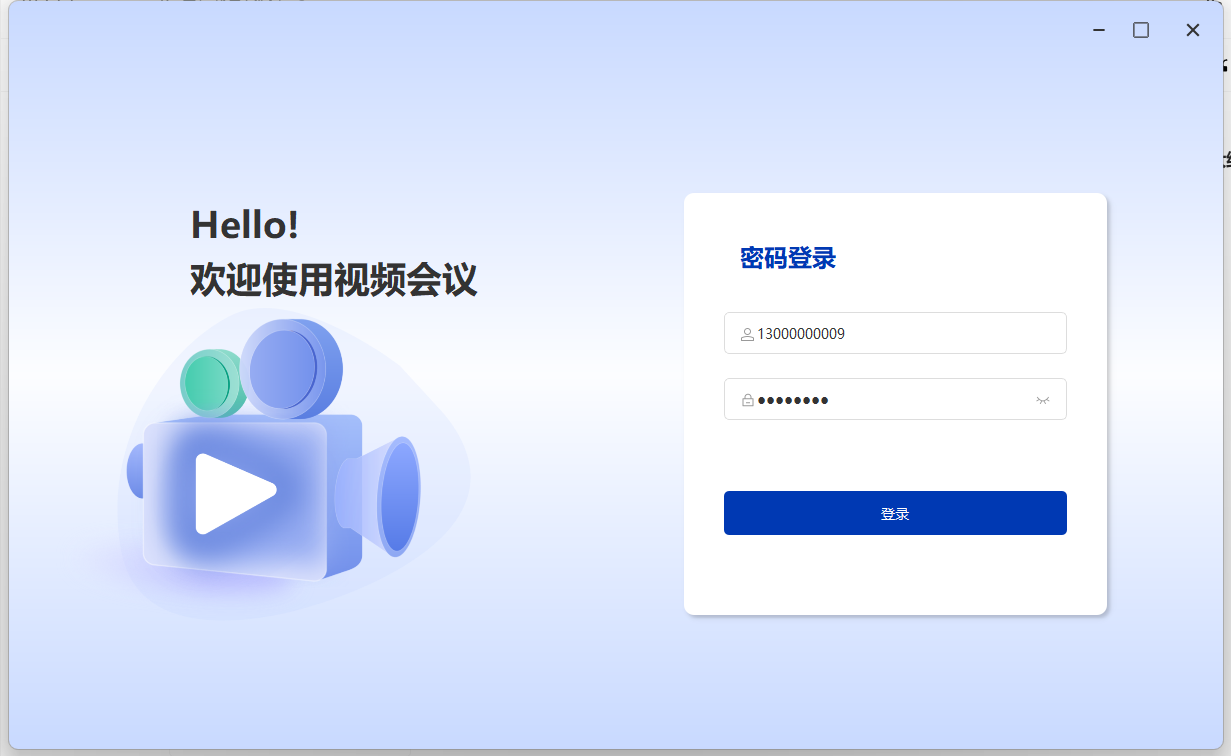
Login screen
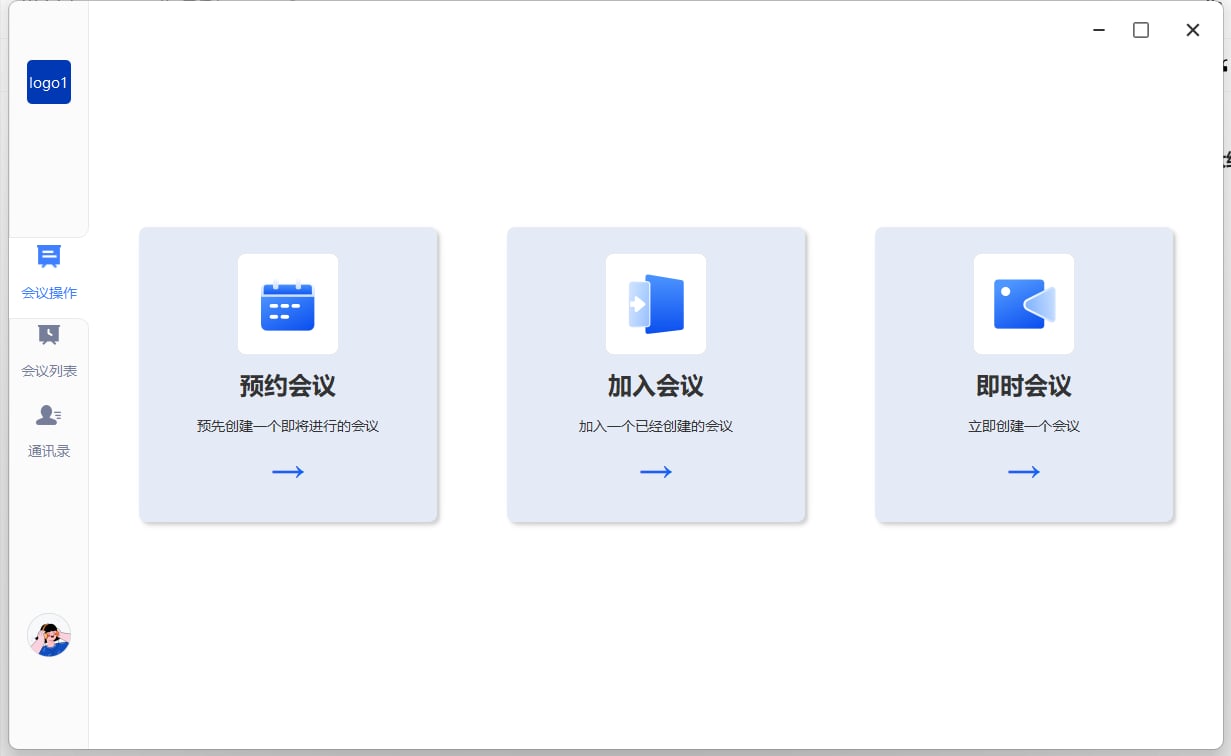
Main page
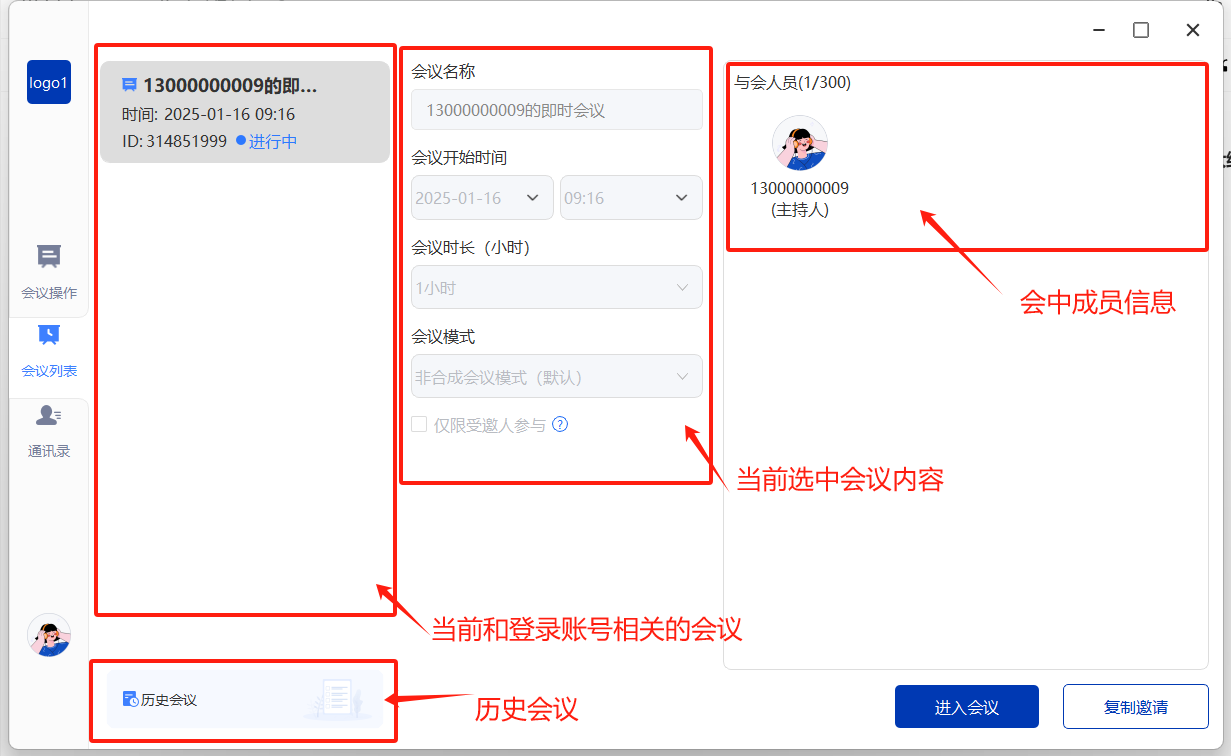
Meeting list
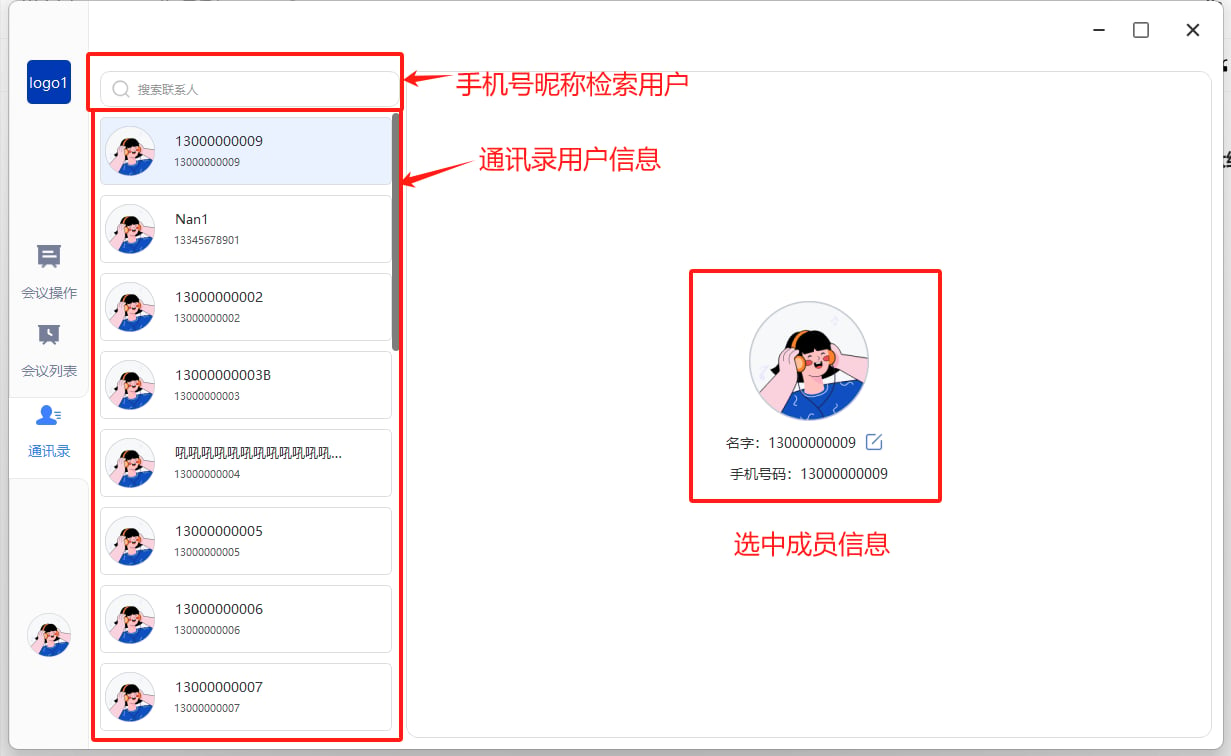
Contacts
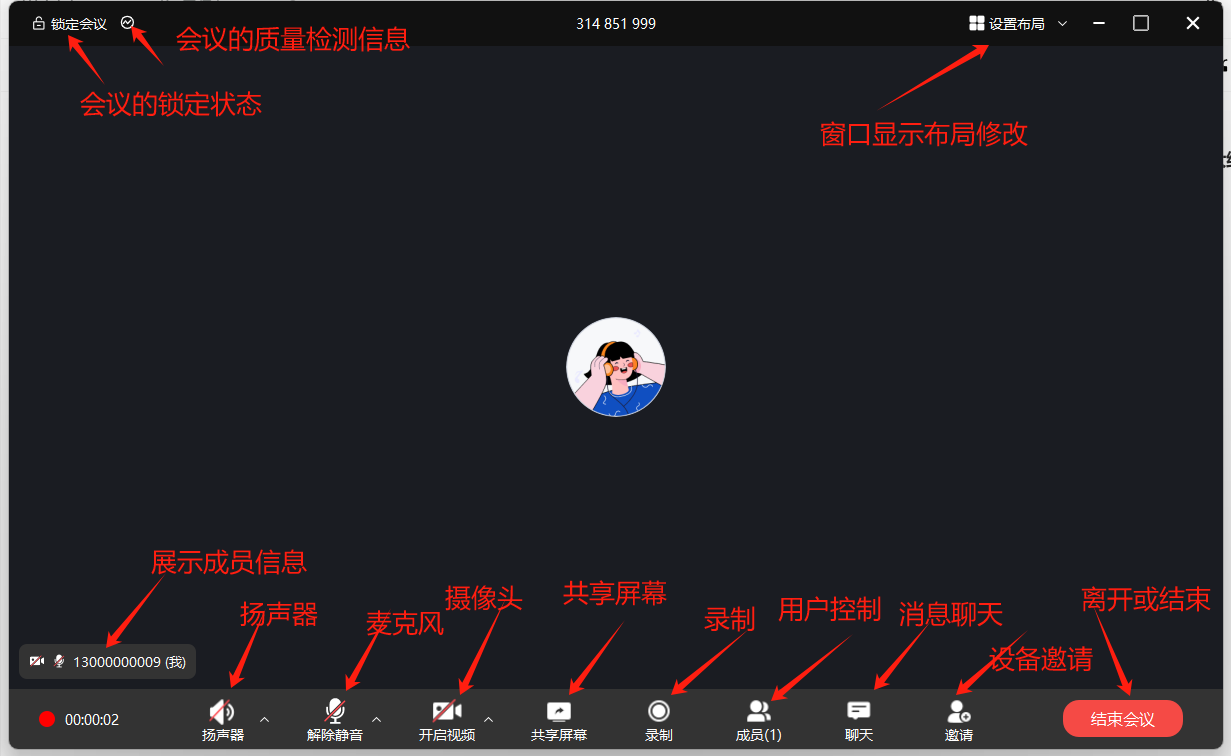
In-meeting main screen
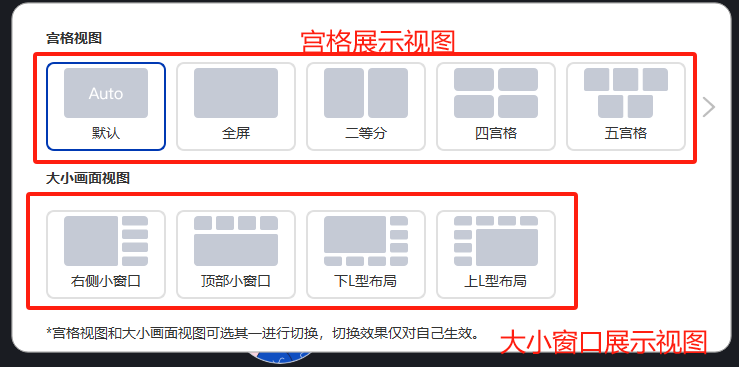
Layout switching
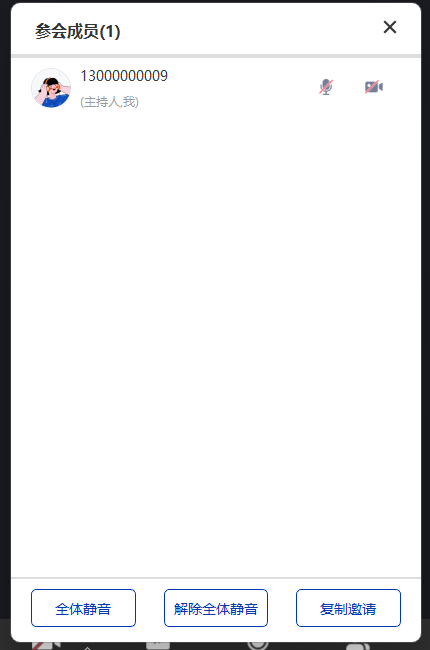
Member controls
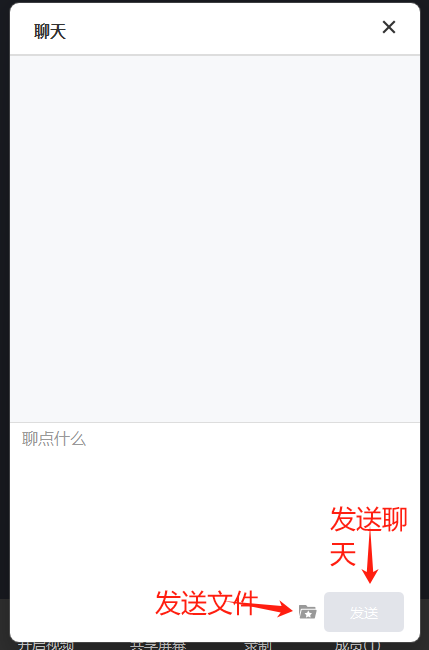
Chat messages
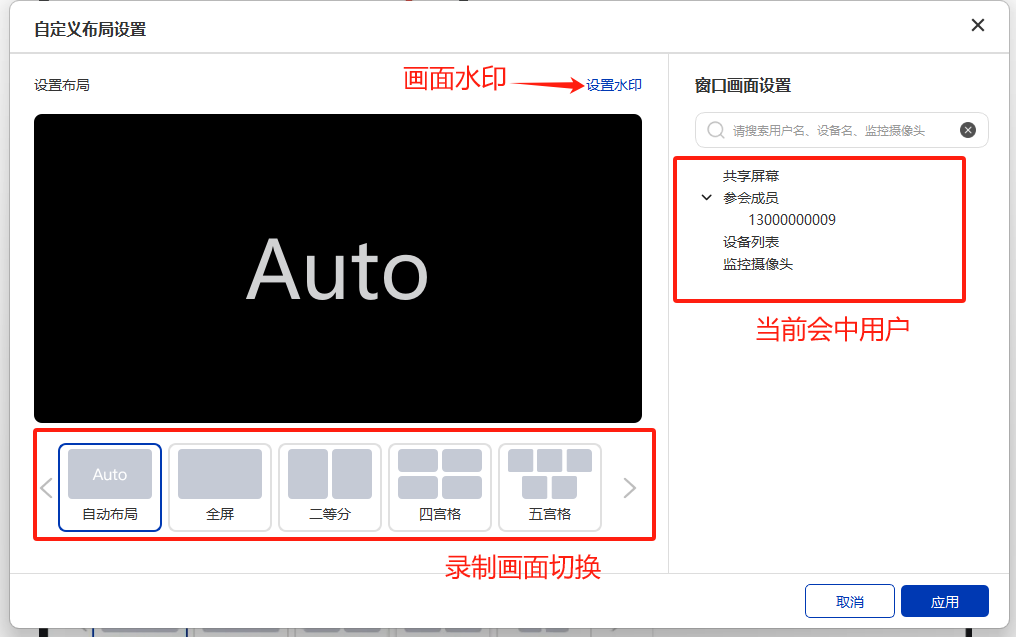
Recording layout settings
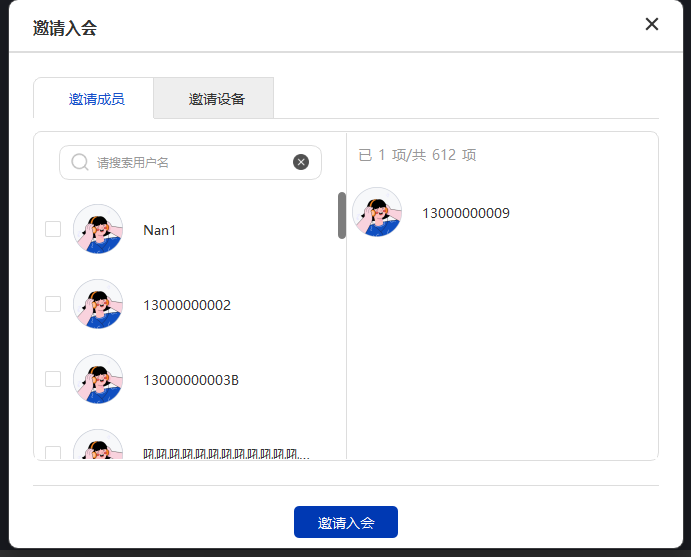
Member & device invitation
Shortcut method calls
The project includes aDemoControl class so developers can quickly use this project (all methods in this class are exported, and developers can use them statically)
Settings parameter definitions
Window enum definitions
Layout enum definitions
Methods
Initialize
Release
SDK user login shortcuts
Parameters
Note: after a successful call, if the UI window is already shown, it switches to the main window view
Global parameter configuration
Parameters
Note: after a successful call, if the UI window is already shown, it switches to the main window view
Switch windows
Parameters
Show and hide windows
Parameters
Note: after initialization, the main screen is hidden by default. Call showView to show the main page; you can also show it by logging in and entering a meeting directly.
Update the window view
Parameters
Get version information
Parameters
Note:
version must be a pointer to already allocated memory of at least 100 bytes; this function only copies the version information.