> ## Documentation Index
> Fetch the complete documentation index at: https://docs.stmlink.com/llms.txt
> Use this file to discover all available pages before exploring further.
# 集成
> 微信小程序 SRTC 音视频 SDK 环境配置与 SDK 安装指南
## 前提条件
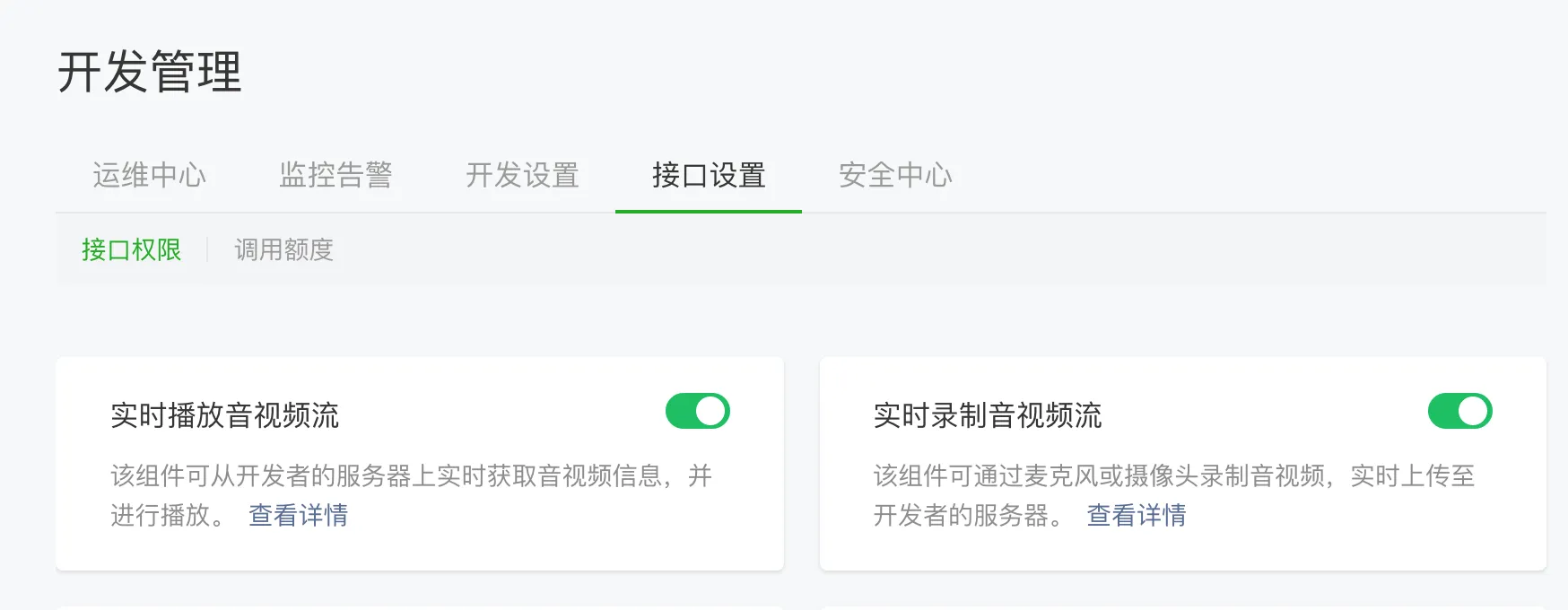
开通小程序类目与推拉流标签权限(如不开通则无法正常使用)
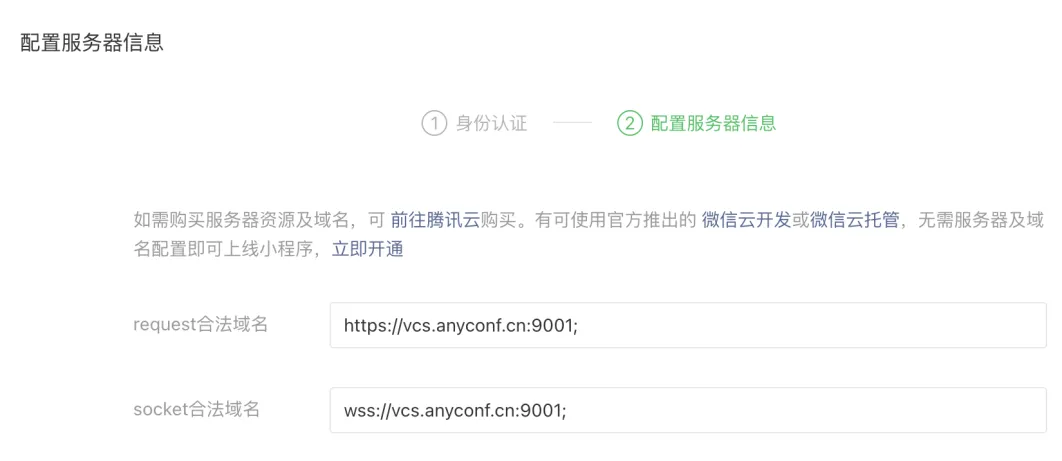
###  根据项目配置合法域名
 ## 引用
### npm
```bash theme={null}
npm install @seastart/srtc-wx-sdk@latest --save
```
### 本地引用
手动下载 sdk 包:
1. 下载 [srtc-wx.js](https://www.unpkg.com/@seastart/srtc-wx-sdk@latest/srtc-wx.js) [srtc-wx.d.ts](https://www.unpkg.com/@seastart/srtc-wx-sdk@latest/srtc-wx.d.ts)
2. 将 `srtc-wx.js``srtc-wx.d.ts`复制到您的项目中。
## 使用
可通过本地引用,也可通过 [小程序构建npm](https://developers.weixin.qq.com/miniprogram/dev/devtools/npm.html) 直接引入。
```typescript theme={null}
import SRTC from './lib/srtc-wx'; // 静态文件引入
import SRTC from '@seastart/srtc-wx-sdk'; // 小程序构建npm引入
```
## 引用
### npm
```bash theme={null}
npm install @seastart/srtc-wx-sdk@latest --save
```
### 本地引用
手动下载 sdk 包:
1. 下载 [srtc-wx.js](https://www.unpkg.com/@seastart/srtc-wx-sdk@latest/srtc-wx.js) [srtc-wx.d.ts](https://www.unpkg.com/@seastart/srtc-wx-sdk@latest/srtc-wx.d.ts)
2. 将 `srtc-wx.js``srtc-wx.d.ts`复制到您的项目中。
## 使用
可通过本地引用,也可通过 [小程序构建npm](https://developers.weixin.qq.com/miniprogram/dev/devtools/npm.html) 直接引入。
```typescript theme={null}
import SRTC from './lib/srtc-wx'; // 静态文件引入
import SRTC from '@seastart/srtc-wx-sdk'; // 小程序构建npm引入
```