> ## Documentation Index
> Fetch the complete documentation index at: https://docs.stmlink.com/llms.txt
> Use this file to discover all available pages before exploring further.
> ## Agent Instructions
> 对外开放的服务端接口有两组前缀,都用同一套鉴权:`/server/v1/...`(SRTC 与 SMeeting 的主接口)和 `/stm/srvapi/v1/...`(SMeeting 的用户体系,服务端极简对接会用到)。鉴权是 app_id + nonce + timestamp + signature 四个请求头,用 app_key 做 HMAC-SHA256 签名,只能从业务方自己的后端调用。除这两组前缀外的接口均为内部接口,不要建议客户调用。 Public server APIs use two path prefixes with the same authentication: `/server/v1/...` (the main APIs of both SRTC and SMeeting) and `/stm/srvapi/v1/...` (the SMeeting user system, used by server-side low-code integration). Authenticate with four request headers, app_id + nonce + timestamp + signature, where signature is HMAC-SHA256 keyed with app_key; call these APIs only from the customer's own backend. Any other path is internal: never suggest calling it.
> app_key 是服务端密钥,绝不能出现在客户端代码、前端配置或移动 App 里。客户端加入频道用的 token 必须由业务方后端签发后下发(SRTC 走 `/server/v1/channel/grant`,SMeeting 走 `/stm/srvapi/v1/member/grant`)。 app_key is a server-side secret and must never appear in client code, frontend config, or a mobile app. The token a client uses to join must be issued by the customer's backend and passed down to the client (SRTC: `/server/v1/channel/grant`; SMeeting: `/stm/srvapi/v1/member/grant`).
> SRTC 与 SMeeting 是上下两层不同的产品,术语不通用:SRTC 是音视频底座,说「频道 channel」「加入 / 退出」;SMeeting 建在 SRTC 之上,说「房间 room」「会议 meeting」「进入 / 退出」。回答时按用户所在的层用对应术语,不要把「房间」「会议」安到 SRTC 的接口上,也不要用「频道」「加入 / 离开」描述 SMeeting 的概念(接口标识符原样保留)。 SRTC and SMeeting are two separate layers with different terminology. SRTC is the audio/video foundation: it has channels, and users join and leave a channel. SMeeting is built on top of SRTC: it has rooms and meetings, and members enter and exit a meeting. Answer in the terms of the layer the user is working with: never apply "room" or "meeting" to SRTC APIs, and never describe SMeeting concepts in prose with "channel", "join", or "leave" (API identifiers such as `force_join` keep their literal names).
> 同一能力在各端 SDK 里的包名、类名、方法名并不相同。写示例代码时请使用文档中该端自己的 API,不要把一个端的写法套到另一个端上。苹果平台每个产品都有两套 SDK(Swift 原生与 Objective-C),两套 API 不能混用。 Package, class, and method names differ between platform SDKs for the same capability. In sample code, use the API documented for that platform; never carry one platform's code over to another. On Apple platforms each product ships two SDKs (native Swift and Objective-C) whose APIs must not be mixed.
# Android UI SDK integration
> Low-code integration with UI for Android: import the open-source `StmLink` meeting UI library as a whole or copy individual modules (base, login, out-of-meeting info, meeting entry, in-meeting), with setup code, entry points, and screenshots. Read this to add a meeting UI to your app.
## Integration options
The UI library is integrated mainly by importing its source code. You can integrate it as a whole, or by module/component.
GitHub source code: [https://github.com/seastart/meeting-andriod-demo](https://github.com/seastart/meeting-andriod-demo)
### Whole integration
* Add the Maven repository to the `build.gradle` in the root directory
```text theme={null}
allprojects {
repositories {
maven { url 'https://maven.open.seastart.cn/repository/maven-vcs/' }
}
}
```
* Import the `StmLink` library
* Add the dependency to the `build.gradle` in the `app` directory
```text theme={null}
dependencies {
implementation project(path: ':StmLink')
}
```
### Module/component integration
* Add the Maven repository to the `build.gradle` in the root directory
```text theme={null}
allprojects {
repositories {
maven { url 'https://maven.open.seastart.cn/repository/maven-vcs/' }
}
}
```
* Add the dependency to the `build.gradle` in the `app` directory
```text theme={null}
dependencies {
implementation 'cn.seastart.meeting:meeting:xxx'
}
```
* Copy the modules or components you need from the `StmLink` library into your project
## Whole integration
1. Create a new project and import the `StmLink` library as described in [Whole integration](#whole-integration)
2. Create `MyApplication` and implement the following code in it
```kotlin theme={null}
override fun onCreate() {
super.onCreate()
// Initialize the library
SeaStarClient.instance.SSC_Init(this)
// Register a listener for activity lifecycle changes
registerActivityLifecycleCallbacks(MyLifecycleCallback())
}
```
3. In `MainActivity`, navigate to a screen in the `StmLink` library
```kotlin theme={null}
override fun onCreate(savedInstanceState: Bundle?) {
super.onCreate(savedInstanceState)
...
Handler().postDelayed(
{
SeaStarClient.instance.SSC_StartHomeActivity(this@MainActivity)
finish()
}, 1000)
}
```
4. Implement the activity lifecycle listener. The `LifecycleListener` class comes from `StmLink`
```kotlin theme={null}
class MyLifecycleCallback: Application.ActivityLifecycleCallbacks {
private val lifecycleListener = LifecycleListener()
override fun onActivityCreated(activity: Activity, savedInstanceState: Bundle?) {
lifecycleListener.onActivityCreated(activity, savedInstanceState)
}
override fun onActivityStarted(activity: Activity) {
lifecycleListener.onActivityStarted(activity)
}
override fun onActivityResumed(activity: Activity) {
lifecycleListener.onActivityResumed(activity)
}
override fun onActivityPaused(activity: Activity) {
lifecycleListener.onActivityPaused(activity)
}
override fun onActivityStopped(activity: Activity) {
lifecycleListener.onActivityStopped(activity)
}
override fun onActivitySaveInstanceState(activity: Activity, outState: Bundle) {
lifecycleListener.onActivitySaveInstanceState(activity, outState)
}
override fun onActivityDestroyed(activity: Activity) {
lifecycleListener.onActivityDestroyed(activity)
}
}
```
## Module/component integration
### Project structure
Modules: base module, login module, out-of-meeting info module, meeting entry module, and in-meeting module
```kotlin theme={null}
stmlink/
├── aboutUs/ # About us
├── activity/ # Activity package
├── authorize/ # Login and registration module
│ └── login/ # Login
│ └── register/ # Registration
├── base/ # BaseActivity and BaseFragment
├── contactDetail/ # Contact details
├── history/ # Meeting history
├── home/ # Home page
│ └── contact/ # Contact list page
│ └── meet/ # Upcoming meetings list page
│ └── mine/ # "Me" page
├── http/ # HTTP module
├── inviteMember/ # Member invitation module
├── meetDetail/ # Meeting details
├── meeting/ # In-meeting module
│ └── chat/ # Chat page
│ └── member/ # In-meeting members page
│ └── room/ # In-meeting main page
├── preMeetingRoom/ # Meeting entry module
├── service/ # Services
├── ui/ # Custom UI
├── utils/ # Utilities
└── webPage/ # Web pages
```
### Base module
The base module includes the SDK entry class, the network request package, the custom UI package, and the utilities package.
#### Import
Copy the `MeetingEngineHelper` file and the `http`, `ui`, and `utils` folders under the `cn.seastart.stmlink` path into your project directory, and they are ready to use.
```kotlin theme={null}
stmlink/
├── http/ # HTTP module
├── ui/ # Custom UI
├── utils/ # Utilities
└── MeetingEngineHelper # Unified SDK helper class
```
#### Usage
##### Using the SDK entry file
```kotlin theme={null}
/**
* Create the SDK
*/
MeetingEngineHelper.instance.createSDK(application)
/**
* Initialize the SDK
*/
MeetingEngineHelper.instance.initSDK(token, null,
object : MeetingResultCallback {
override fun onFail(code: Int, errorMsg: String?, showMsg: String?) {
// Your handling
}
override fun onSuccess() {
// Your handling
}
}
)
/**
* Release resources
*/
MeetingEngineHelper.instance.release()
/**
* Other API calls
*/
```
##### Using the network request module
```kotlin theme={null}
/**
* Call this at app startup to initialize the network request module
* url: host address
*/
ApiHelper.instance.init(url)
/**
* Reset the host address; the reset address is stored in the DOMAIN_URL field of KvUtil
*/
ApiHelper.instance.resetHost()
/**
* Release resources
*/
ApiHelper.instance.release()
/**
* Various network request APIs
*/
```
##### Using the custom UI package
It contains the custom components used in the project, which you can use by referencing them in XML layout files
##### Using the utilities package
It contains the utility classes used in the project, mostly static methods or singletons.
### Login and registration module
The login and registration module mainly includes the login page, the registration page, and the member profile editing page
This is an important module: without login, none of the subsequent operations can run correctly.
This module implements app login authorization, Meet authorization, SDK initialization, and IM initialization.
After app login authorization completes, you get an app-layer user token. Every app-layer network request must include this token in its request headers
#### Import
* Copy the `authorize` folder under the `cn.seastart.stmlink` path into your project directory, and it is ready to use
```kotlin theme={null}
stmlink/
├── authorize/ # Login and registration module
│ └── login/ # Login
│ └── register/ # Registration
```
#### Usage
##### Navigation
```kotlin theme={null}
/**
* Navigate to the login screen
*/
LoginActivity.startActivity(this)
```
##### SdkLoginHelper
* This class implements login in one place. The main steps are: authorization -> SDK login -> IM login. It depends on `MeetingEngineHelper` (the SDK entry class wrapped at the app layer), so `MeetingEngineHelper` must be initialized first
* When an app authorization token already exists and the SDK needs to log in automatically, you can use this class to log in from any screen
```kotlin theme={null}
SdkLoginHelper.instance.login(object : SdkLoginHelper.LoginListener {
override fun onSuccess() {
// Your handling
}
override fun onFail(code: Int, errorMsg: String?, showMsg: String?) {
// Your handling
}
})
```
#### Screenshots
| Login page | Registration page | Profile editing page |
| :-: | :-: | :-: |
| 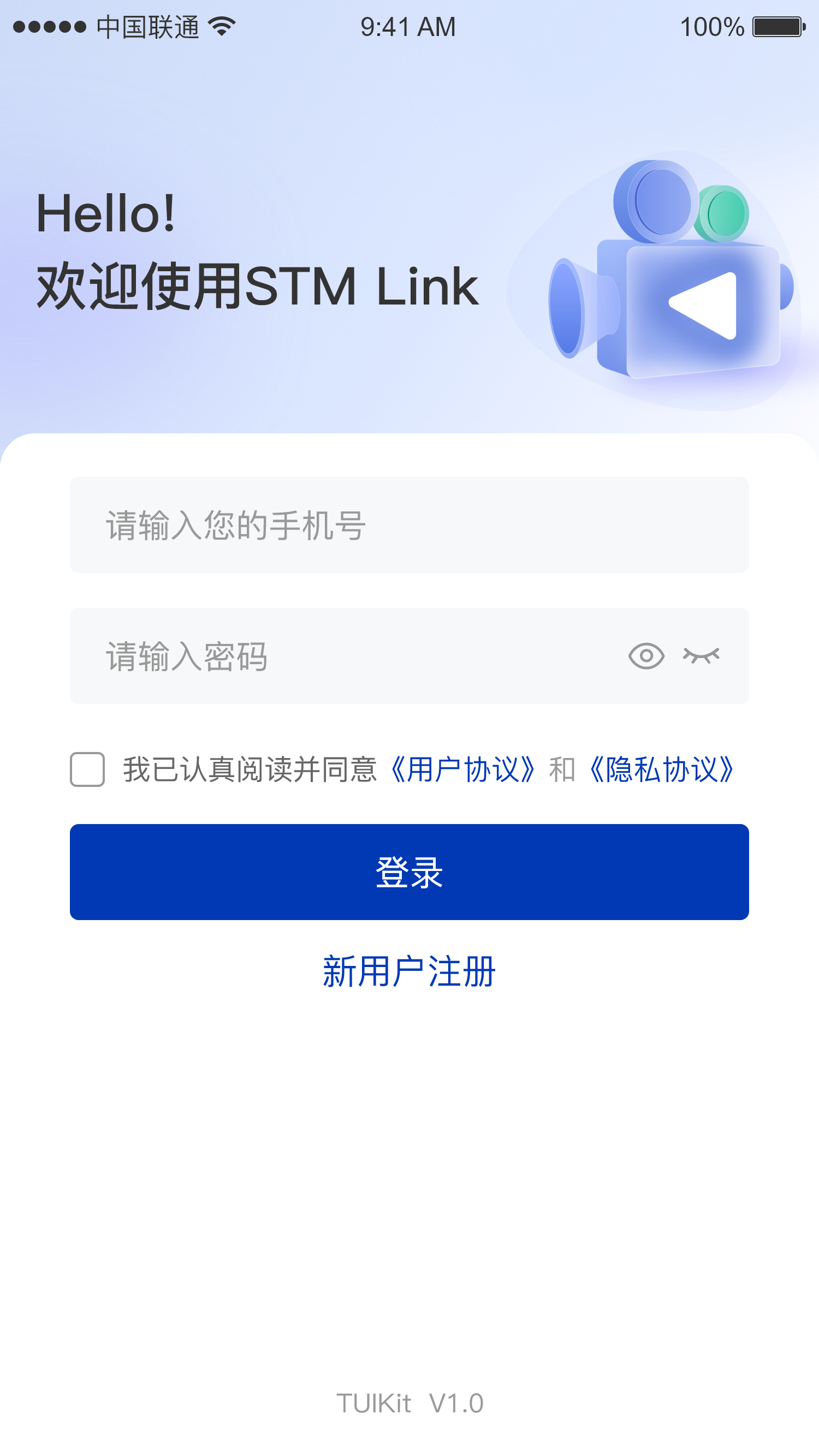 |
| 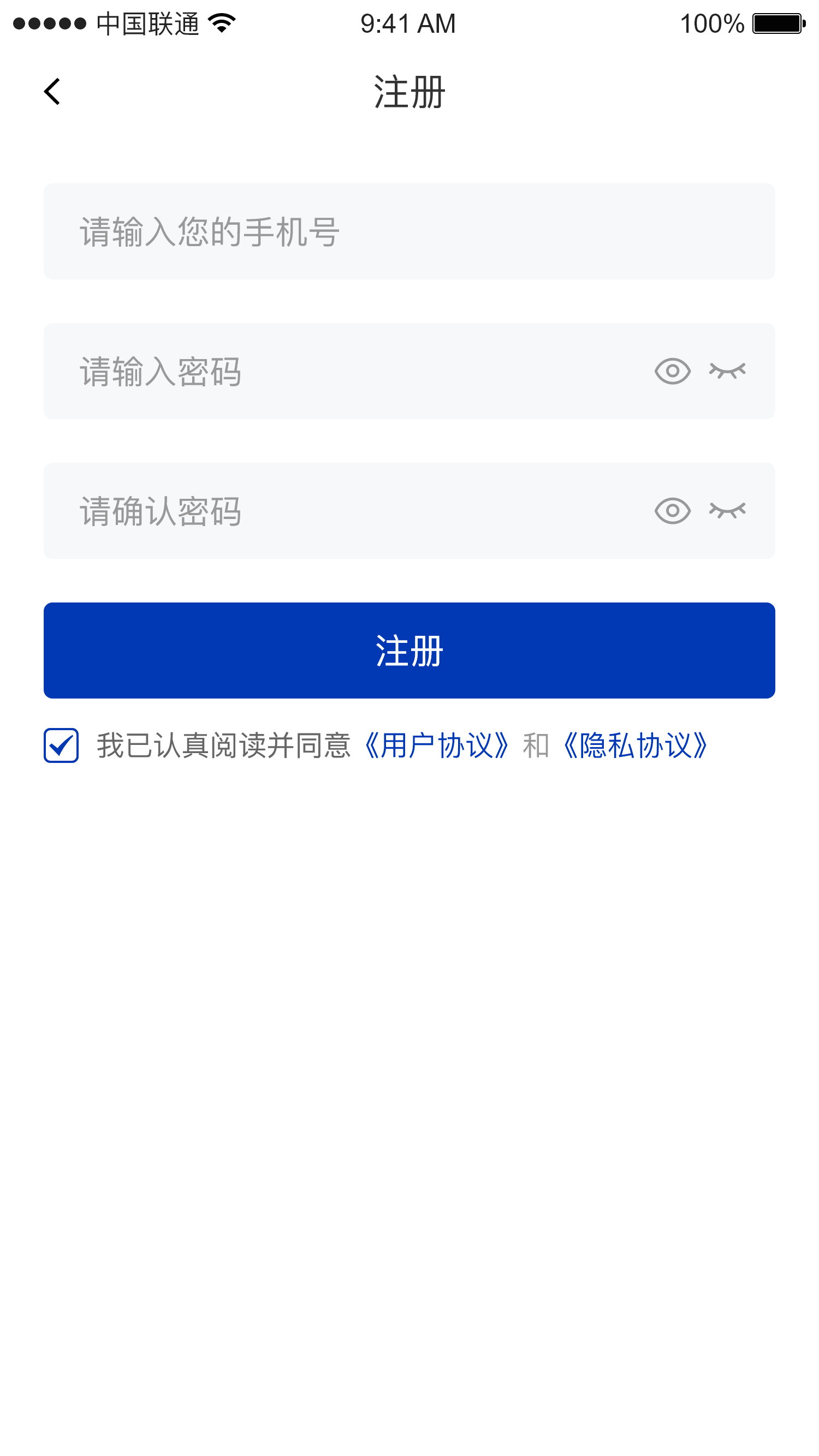 |
| 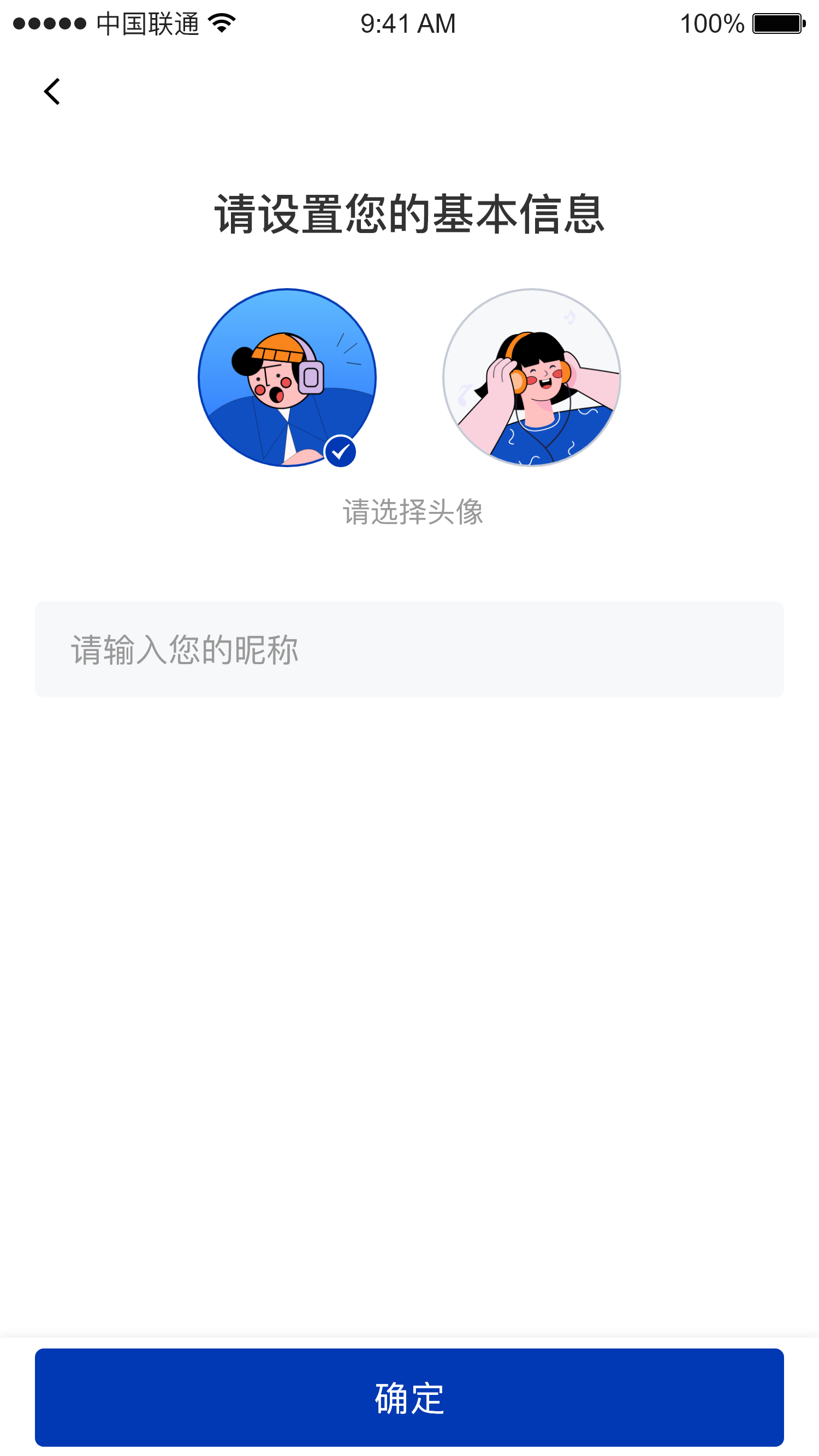 |
### Out-of-meeting info module
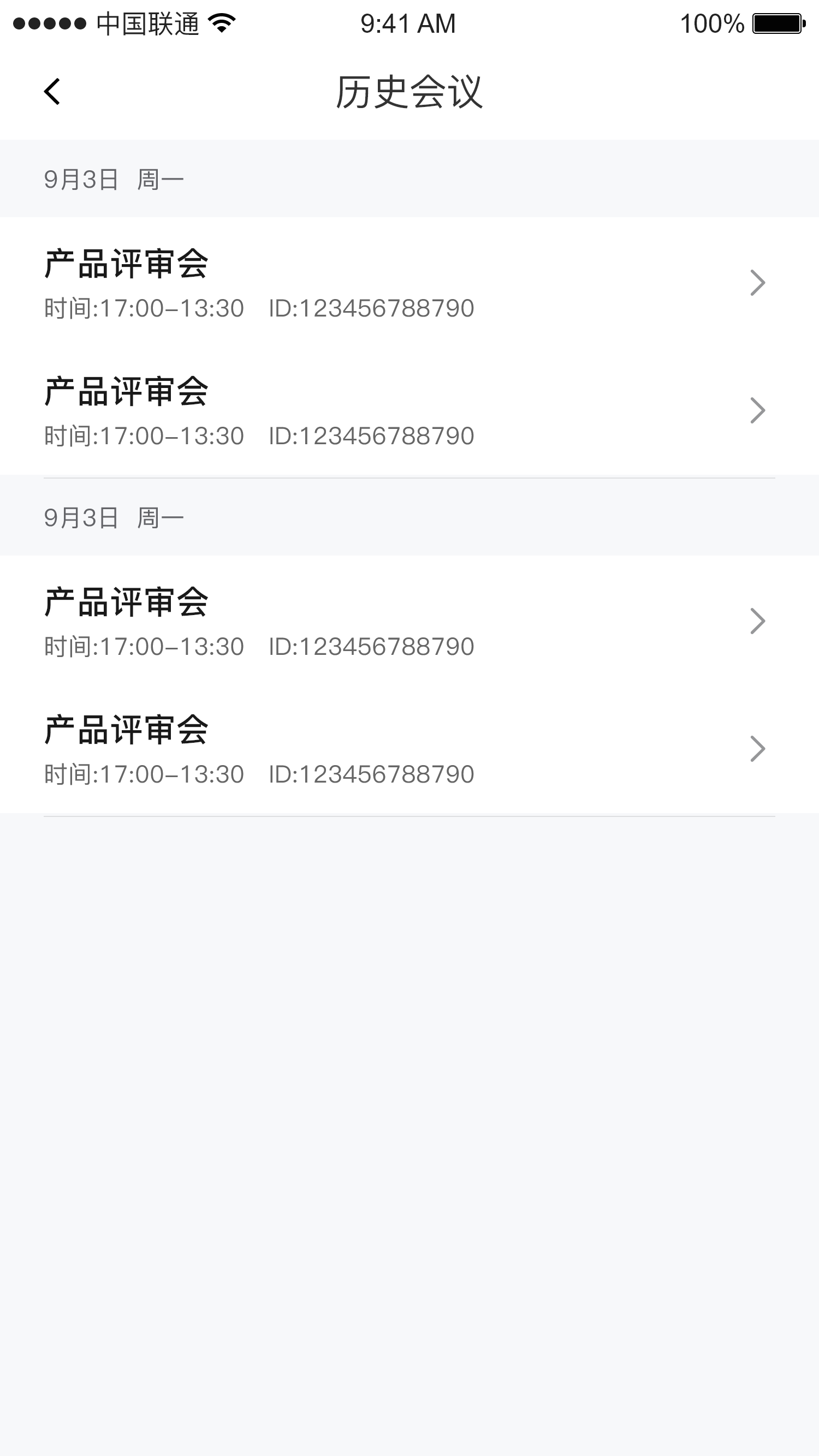
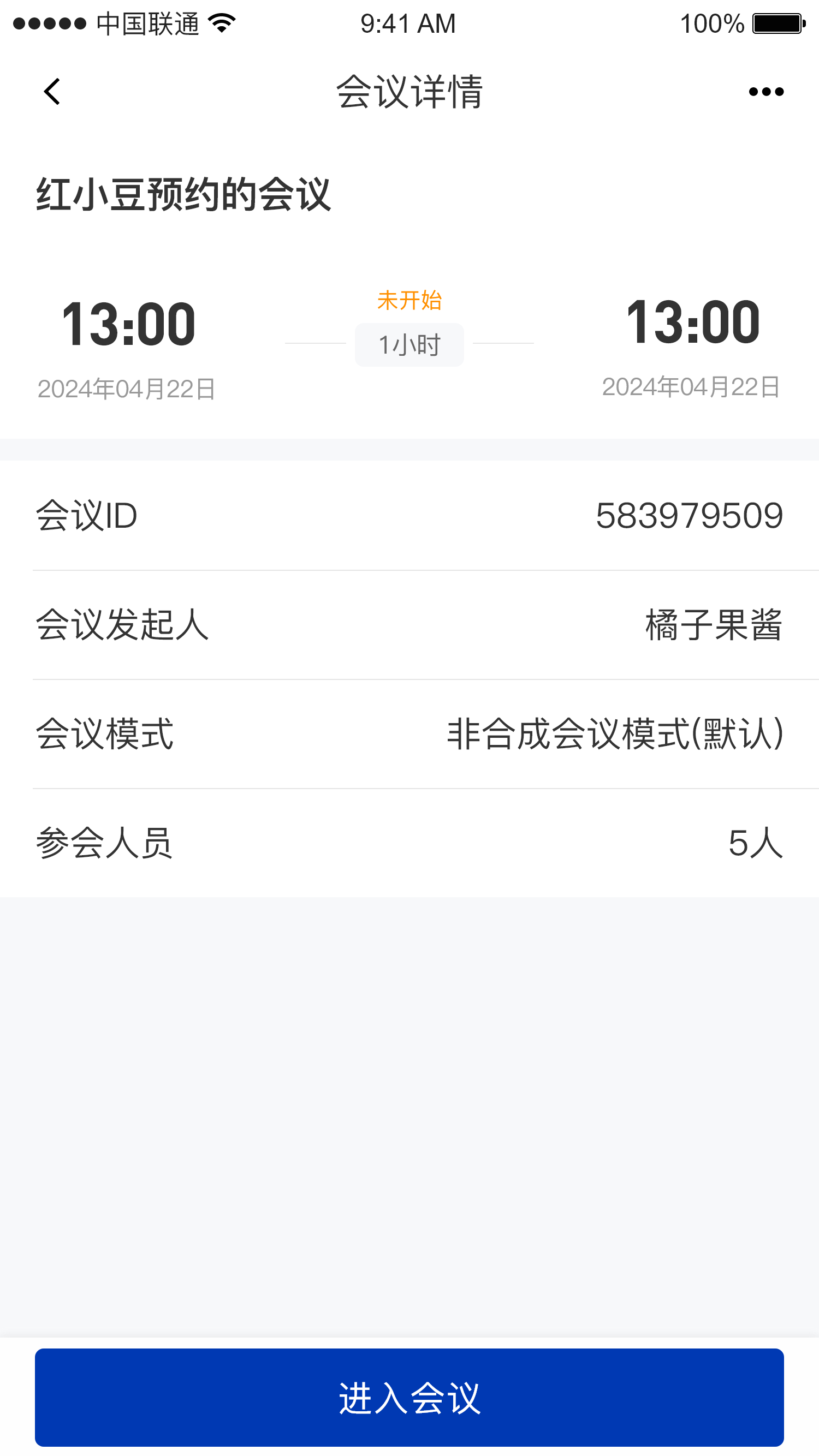
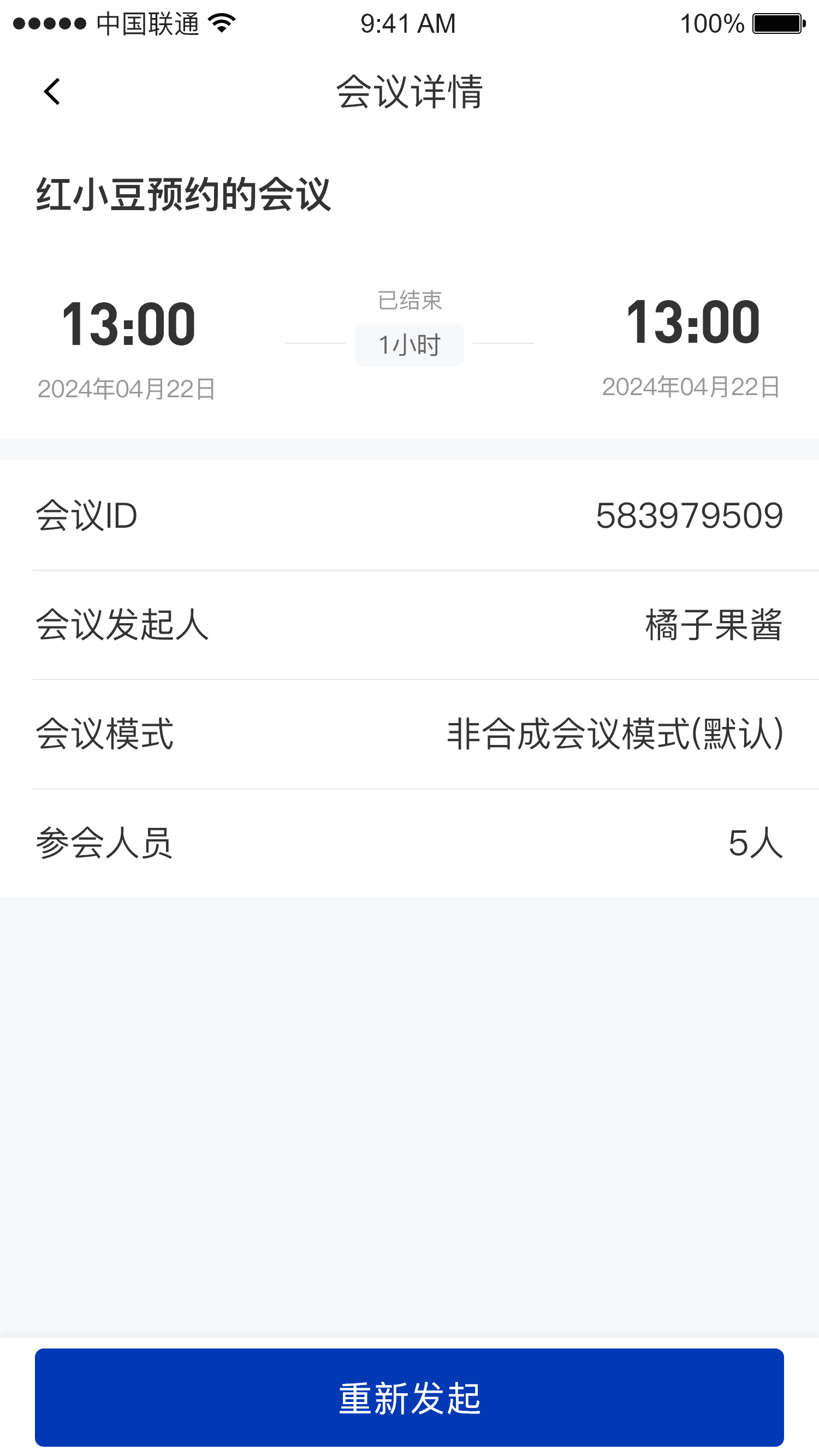
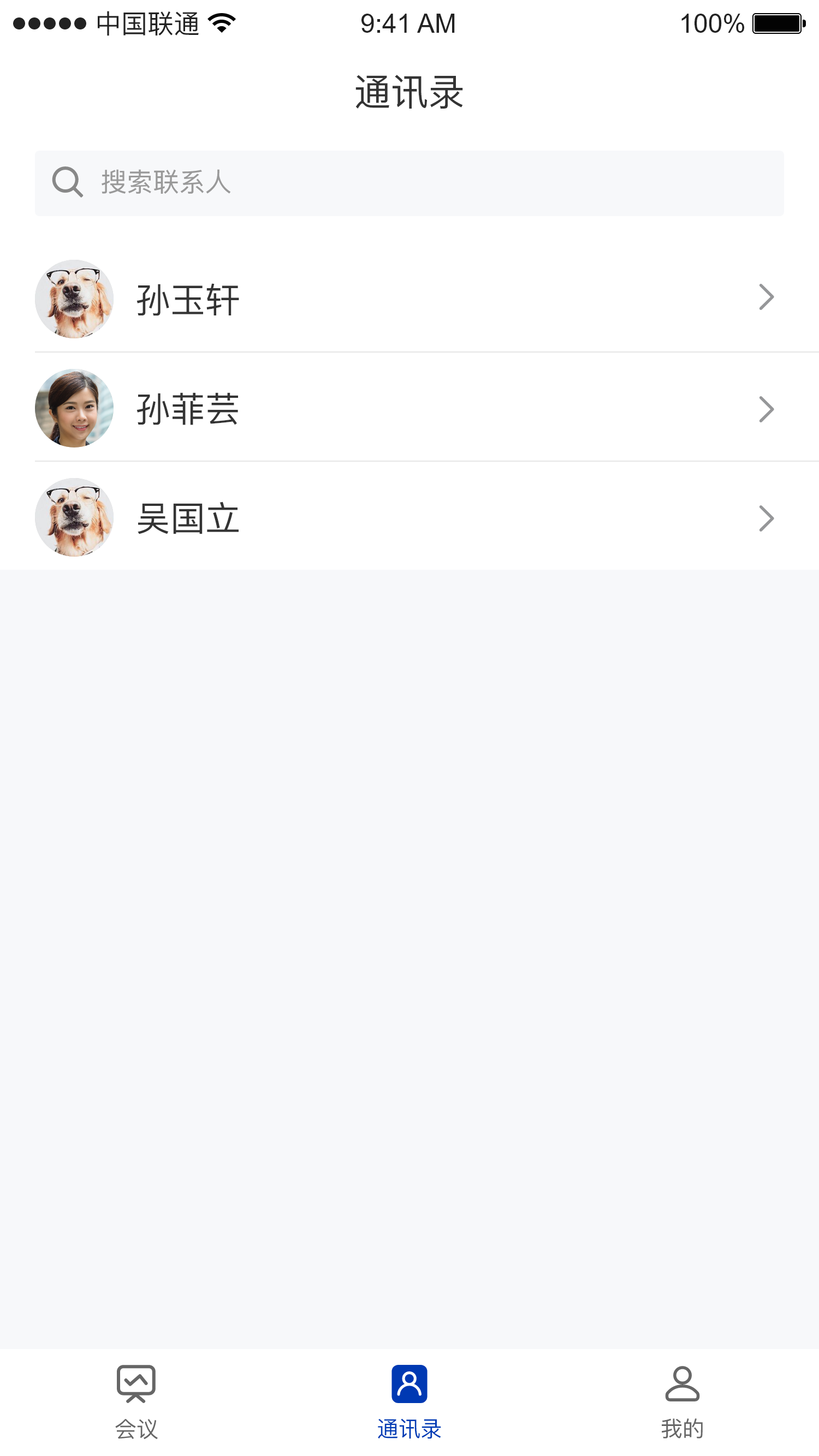
The out-of-meeting info module mainly includes the upcoming meetings page, the meeting history page, the meeting details page, the contact list page, the contact details page, and the "Me" page
#### Import
* Copy the `Home`, `history`, `meetDetail`, and `contactDetail` packages under the `cn.seastart.stmlink` path into your project, and they are ready to use
```kotlin theme={null}
stmlink/
├── contactDetail/ # Contact details
├── history/ # Meeting history
├── home/ # Home page
│ └── contact/ # Contact list page
│ └── meet/ # Upcoming meetings list page
│ └── mine/ # "Me" page
├── meetDetail/ # Meeting details
```
#### Usage
```kotlin theme={null}
/**
* Navigate to the Home page, which includes the upcoming meetings page, the contact list page, and the "Me" page
*/
HomeActivity.startActivity(this)
/**
* Navigate to the meeting history page
*/
HistoryActivity.startHistoryListPage(this)
/**
* Navigate to the meeting details page
* meetId: meeting ID
*/
MeetDetailActivity.startMeetDetailPage(this, meetId)
/**
* Navigate to the contact details page
* uid: contact uid
*/
ContactDetailActivity.startContactInfoPage(requireContext(), uid)
```
#### Screenshots
| Upcoming meetings page | Meeting history page |
| :-: | :-: |
|
|
### Out-of-meeting info module
The out-of-meeting info module mainly includes the upcoming meetings page, the meeting history page, the meeting details page, the contact list page, the contact details page, and the "Me" page
#### Import
* Copy the `Home`, `history`, `meetDetail`, and `contactDetail` packages under the `cn.seastart.stmlink` path into your project, and they are ready to use
```kotlin theme={null}
stmlink/
├── contactDetail/ # Contact details
├── history/ # Meeting history
├── home/ # Home page
│ └── contact/ # Contact list page
│ └── meet/ # Upcoming meetings list page
│ └── mine/ # "Me" page
├── meetDetail/ # Meeting details
```
#### Usage
```kotlin theme={null}
/**
* Navigate to the Home page, which includes the upcoming meetings page, the contact list page, and the "Me" page
*/
HomeActivity.startActivity(this)
/**
* Navigate to the meeting history page
*/
HistoryActivity.startHistoryListPage(this)
/**
* Navigate to the meeting details page
* meetId: meeting ID
*/
MeetDetailActivity.startMeetDetailPage(this, meetId)
/**
* Navigate to the contact details page
* uid: contact uid
*/
ContactDetailActivity.startContactInfoPage(requireContext(), uid)
```
#### Screenshots
| Upcoming meetings page | Meeting history page |
| :-: | :-: |
| 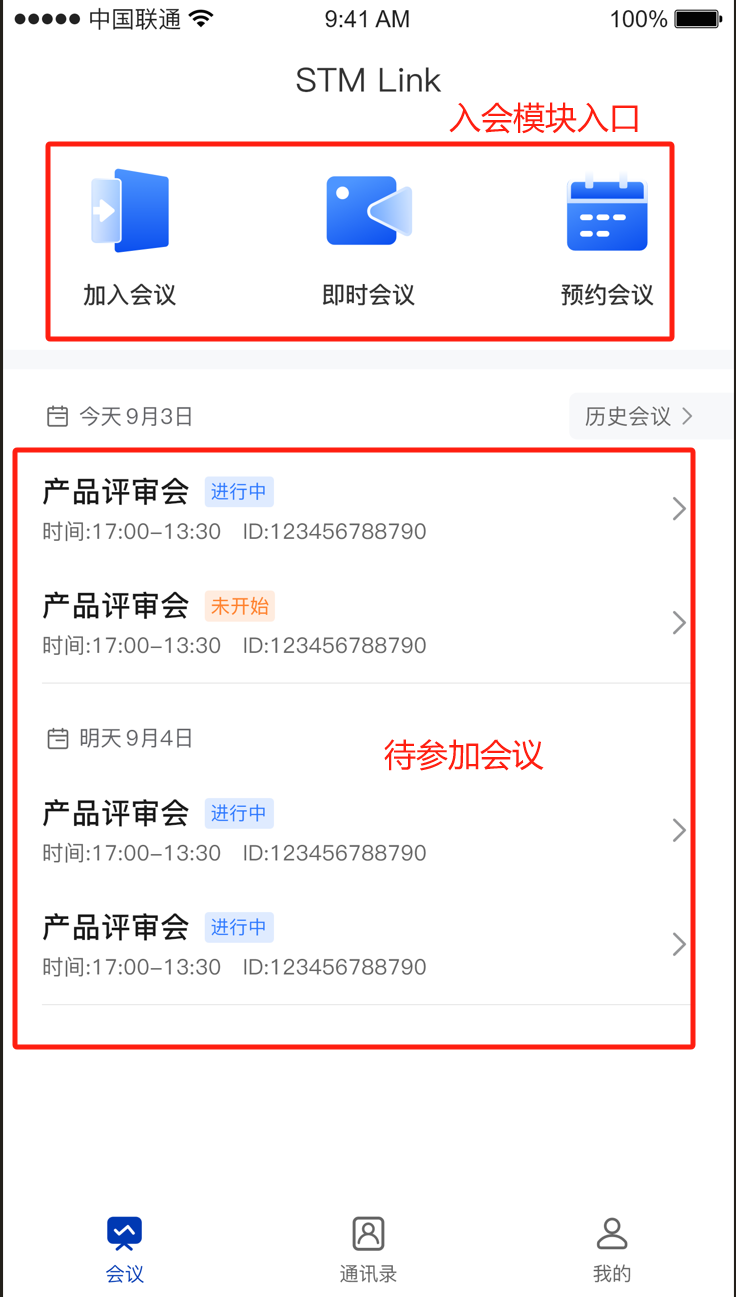 |
|  |
| Meeting details page | Meeting details page |
| :-: | :-: |
|
|
| Meeting details page | Meeting details page |
| :-: | :-: |
|  |
|  |
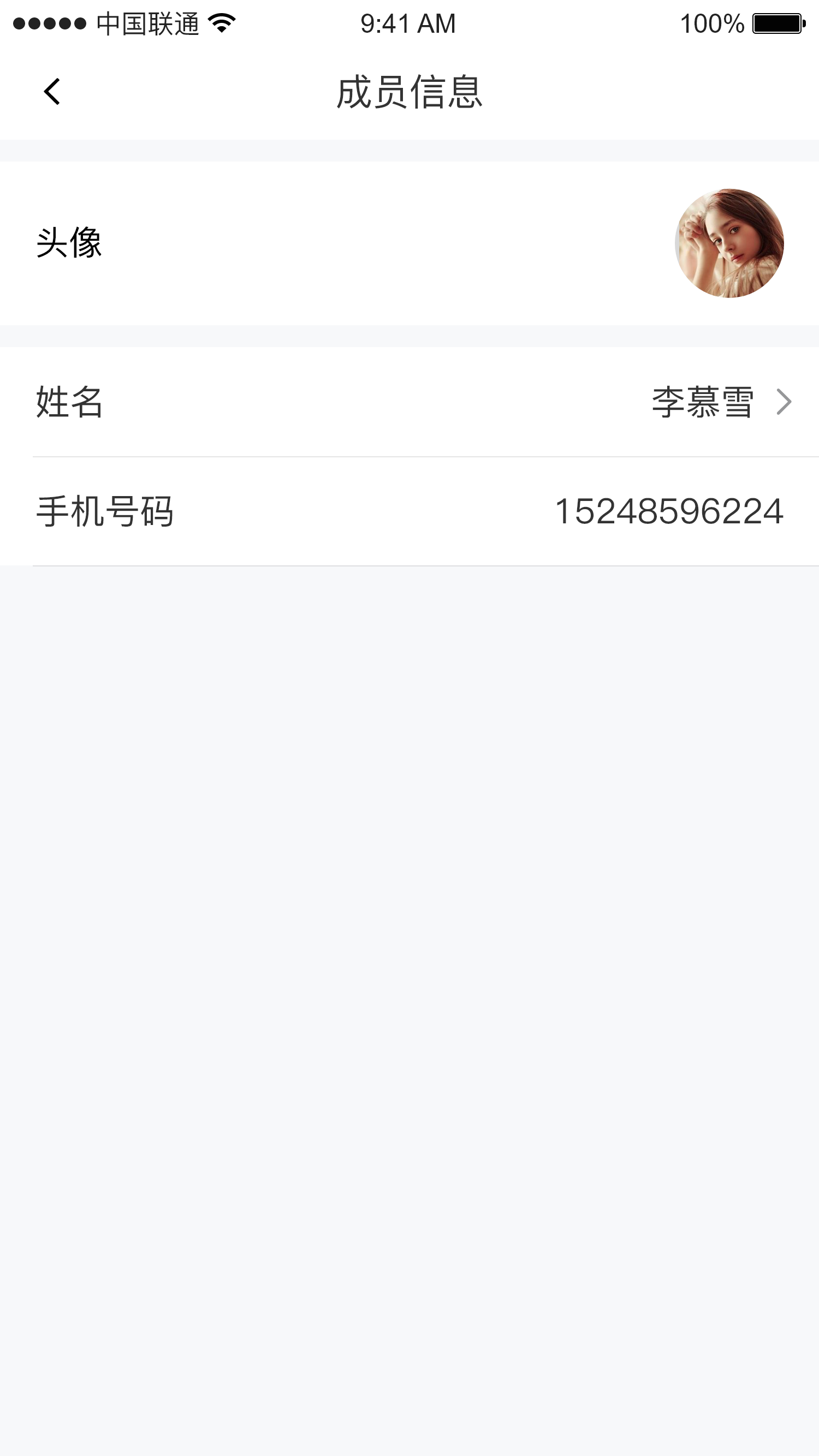
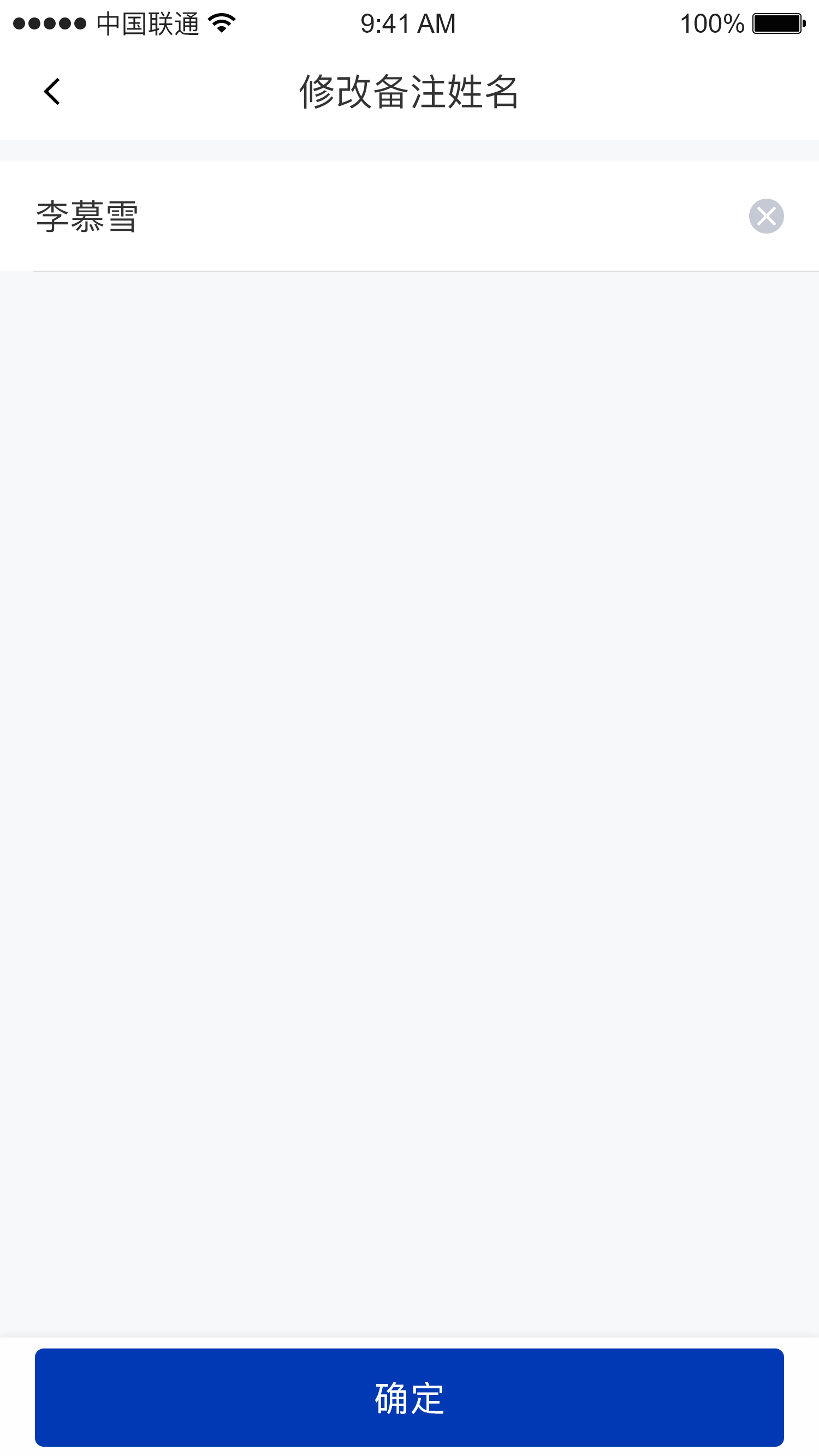
| Contacts page | Contact details page | Contact editing page |
| :-: | :-: | :-: |
|
|
| Contacts page | Contact details page | Contact editing page |
| :-: | :-: | :-: |
|  |
|  |
|  |
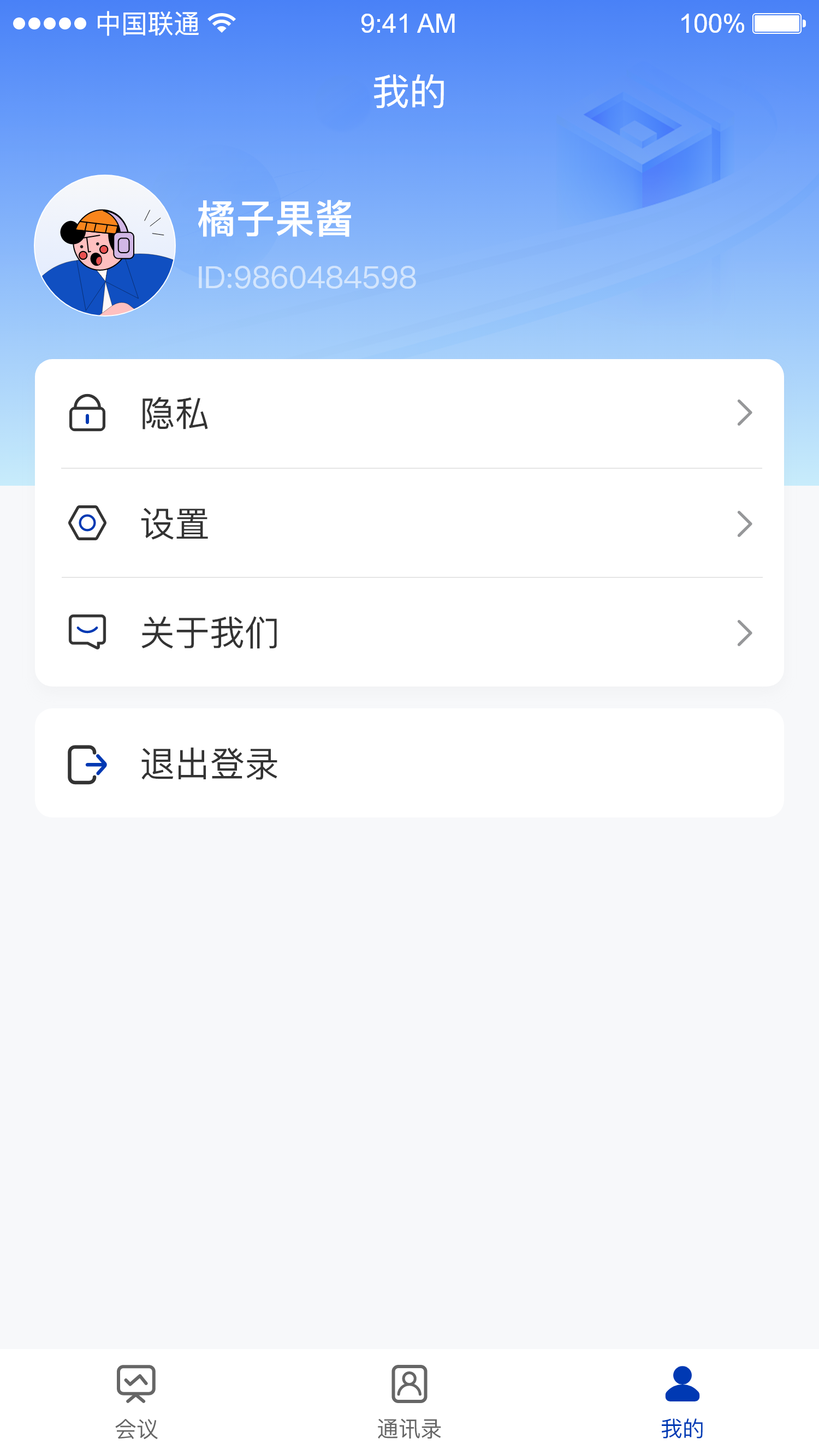
| "Me" page |
| :-: |
|
|
| "Me" page |
| :-: |
|  |
### Meeting entry module
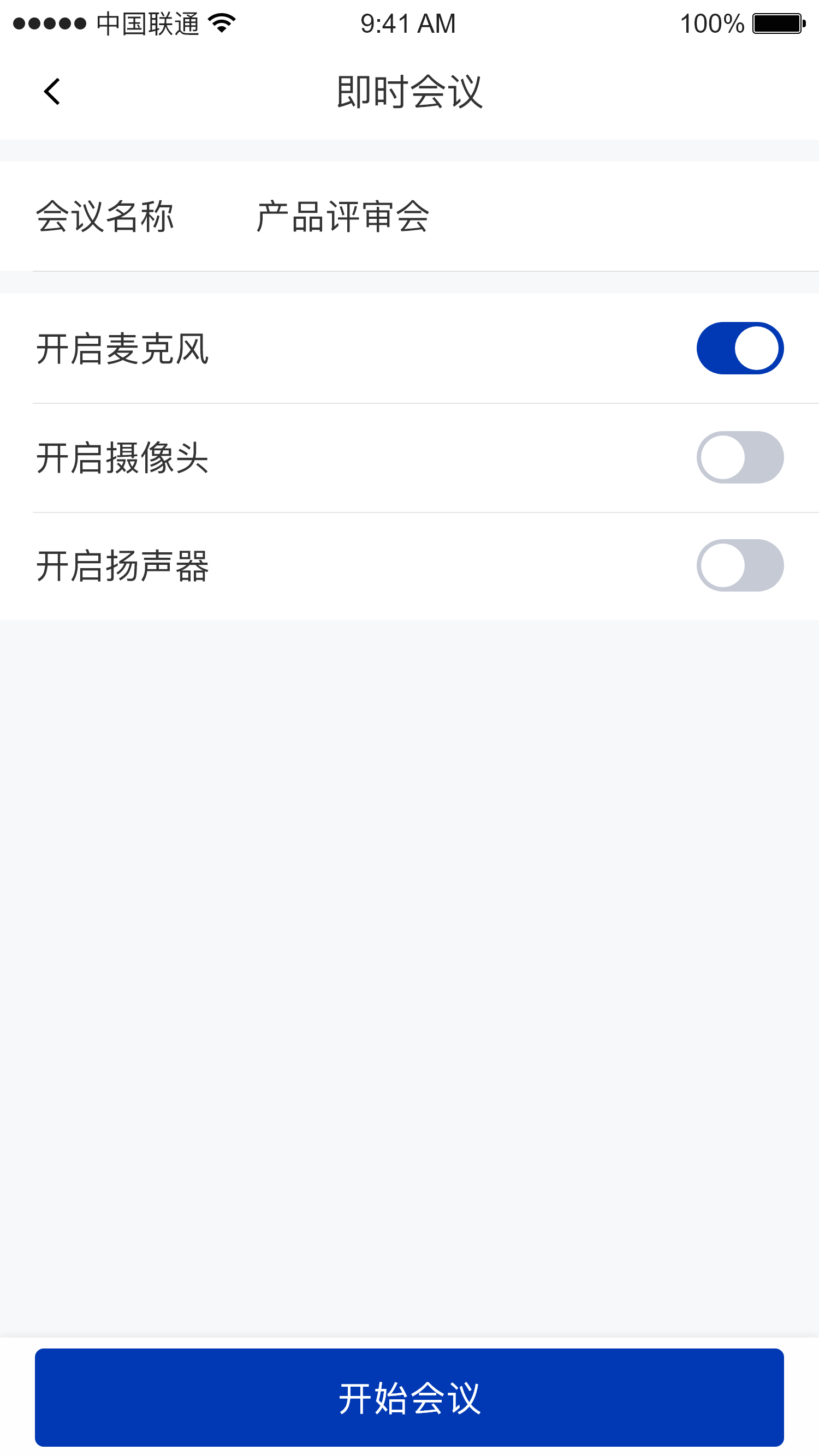
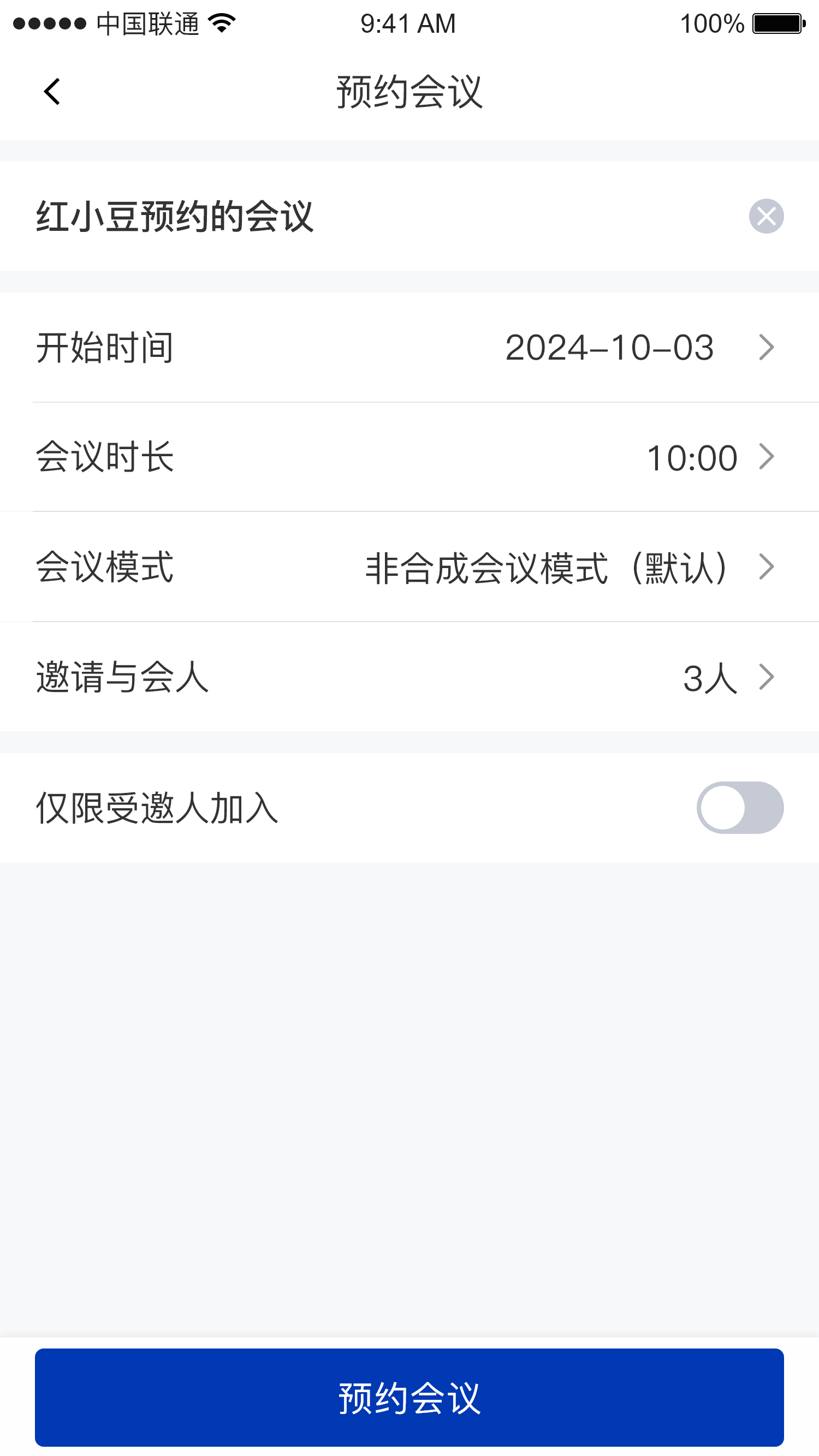
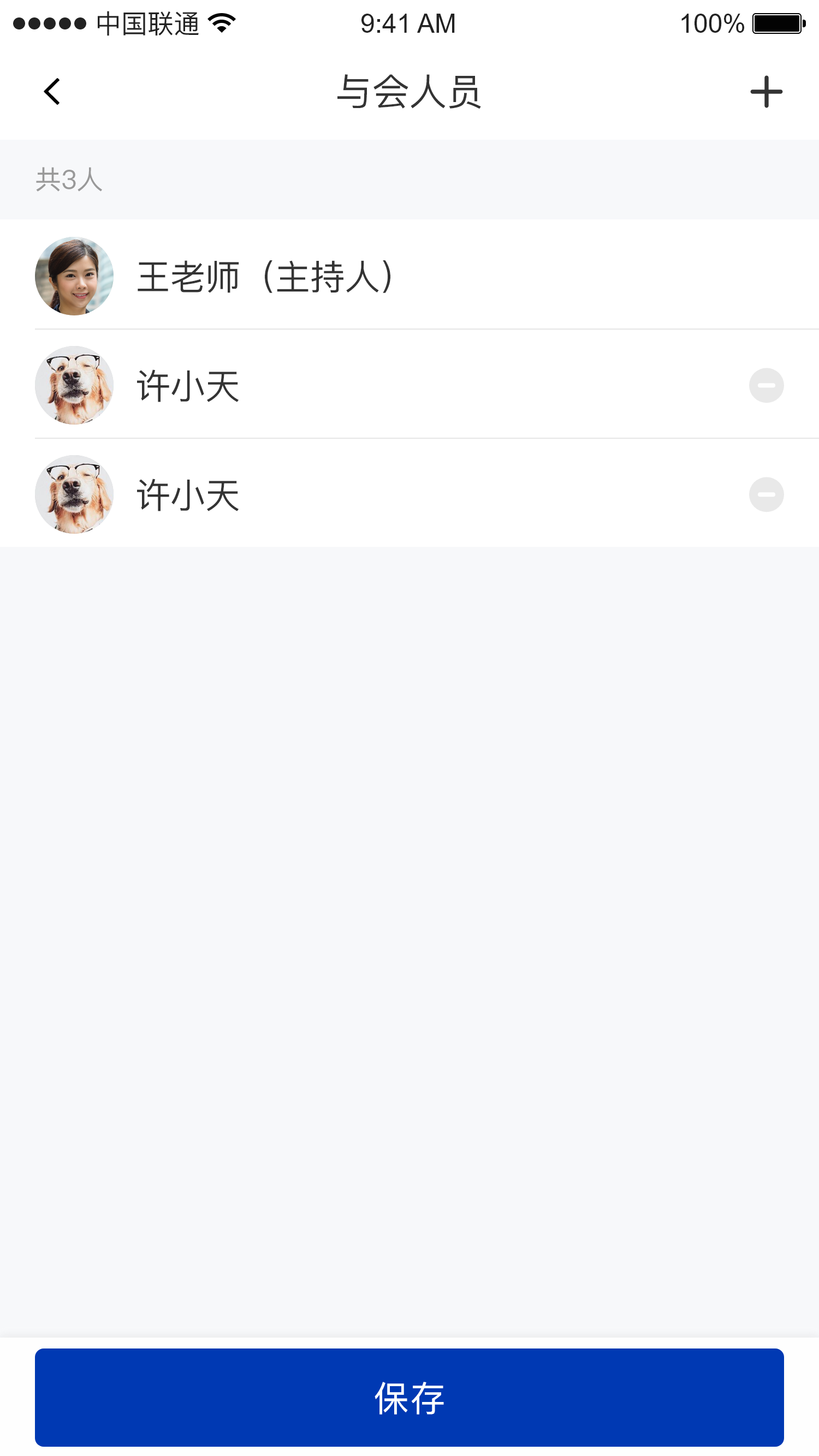
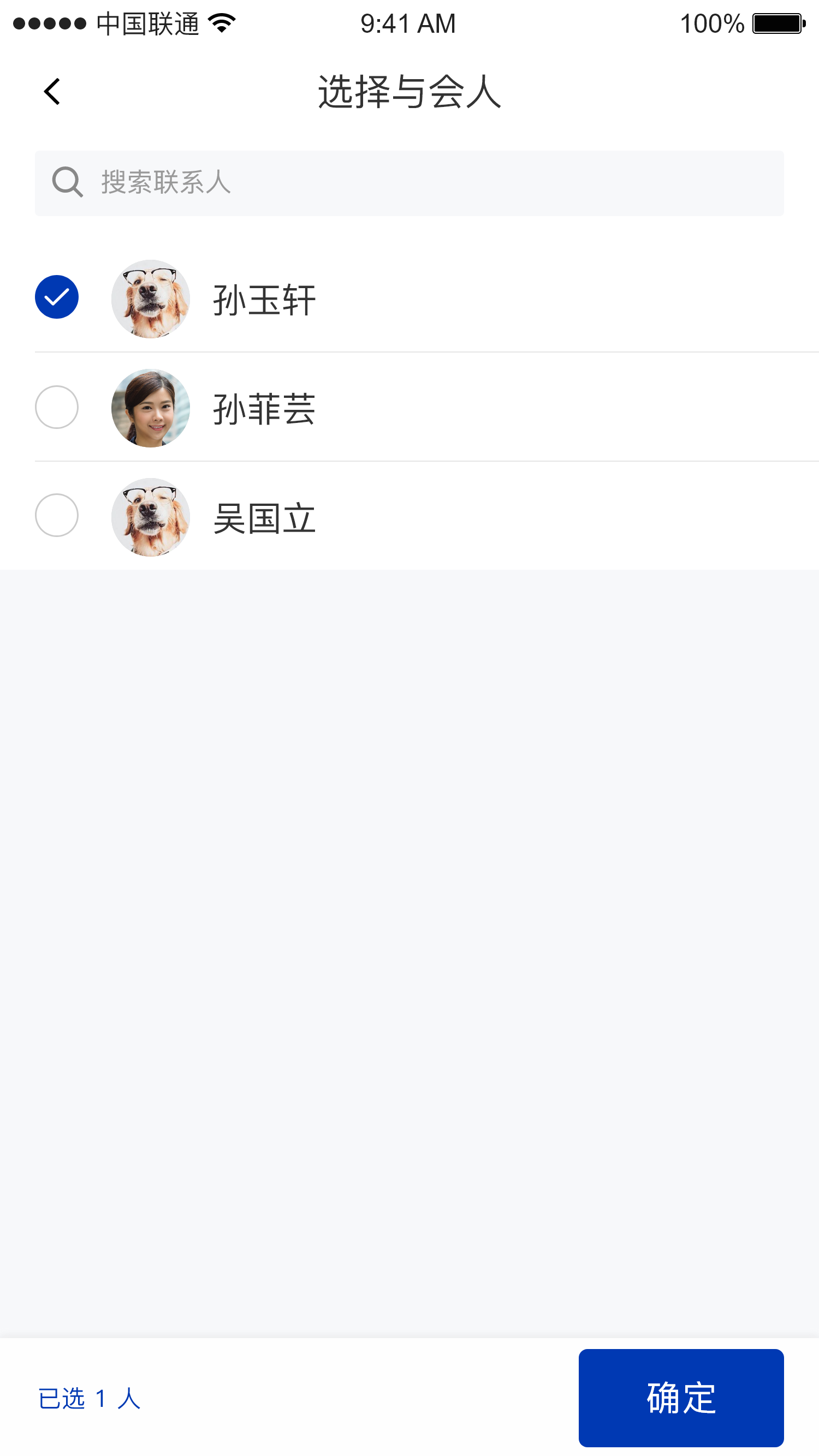
The meeting entry module mainly includes the enter meeting page, the create instant meeting page, the create scheduled meeting page, and the member invitation page
The enter meeting and create instant meeting pages go to the in-meeting page by default; the create scheduled meeting page goes to the upcoming meetings page by default
#### Import
* Copy the `preMeetingRoom` and `inviteMember` packages under the `cn.seastart.stmlink` path into your project, and they are ready to use.
```kotlin theme={null}
stmlink/
├── inviteMember/ # Member invitation module
├── preMeetingRoom/ # Meeting entry module
```
#### Usage
```kotlin theme={null}
/**
* Navigate to the enter meeting page
*/
PreMeetingActivity.startJoinMeetingPage(this)
/**
* Navigate to the create instant meeting page
*/
PreMeetingActivity.startCreateImmediateMeetingPage(this)
/**
* Navigate to the create scheduled meeting page, from which you can go to the member invitation page
*/
PreMeetingActivity.startCreateScheduleMeetingPage(requireContext())
```
#### Screenshots
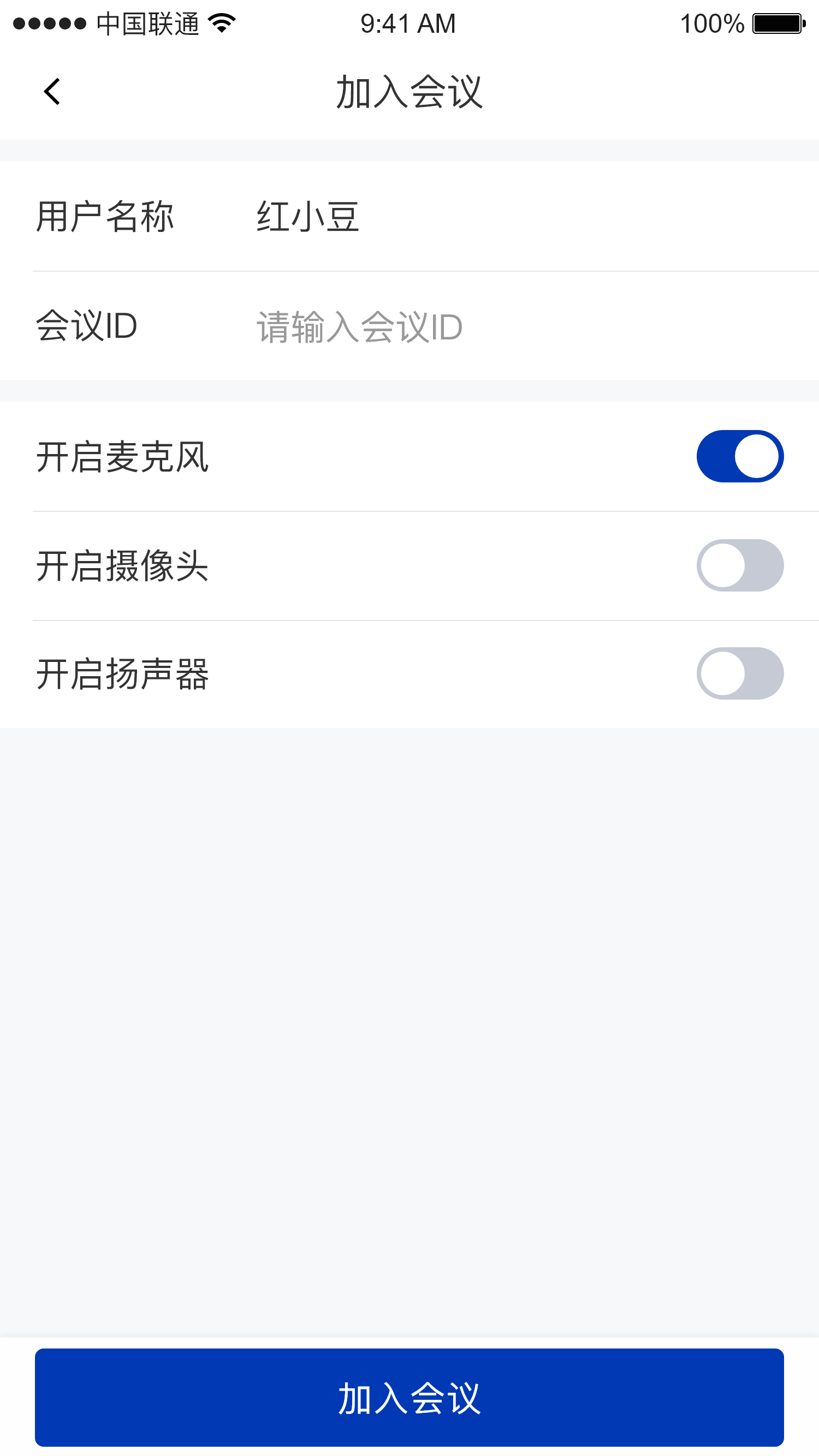
| Enter meeting page | Create instant meeting page | Create scheduled meeting page |
| :-: | :-: | :-: |
|
|
### Meeting entry module
The meeting entry module mainly includes the enter meeting page, the create instant meeting page, the create scheduled meeting page, and the member invitation page
The enter meeting and create instant meeting pages go to the in-meeting page by default; the create scheduled meeting page goes to the upcoming meetings page by default
#### Import
* Copy the `preMeetingRoom` and `inviteMember` packages under the `cn.seastart.stmlink` path into your project, and they are ready to use.
```kotlin theme={null}
stmlink/
├── inviteMember/ # Member invitation module
├── preMeetingRoom/ # Meeting entry module
```
#### Usage
```kotlin theme={null}
/**
* Navigate to the enter meeting page
*/
PreMeetingActivity.startJoinMeetingPage(this)
/**
* Navigate to the create instant meeting page
*/
PreMeetingActivity.startCreateImmediateMeetingPage(this)
/**
* Navigate to the create scheduled meeting page, from which you can go to the member invitation page
*/
PreMeetingActivity.startCreateScheduleMeetingPage(requireContext())
```
#### Screenshots
| Enter meeting page | Create instant meeting page | Create scheduled meeting page |
| :-: | :-: | :-: |
|  |
|  |
|  |
| Invitees page | Add invitees page |
| :-: | :-: |
|
|
| Invitees page | Add invitees page |
| :-: | :-: |
|  |
|  |
### In-meeting module
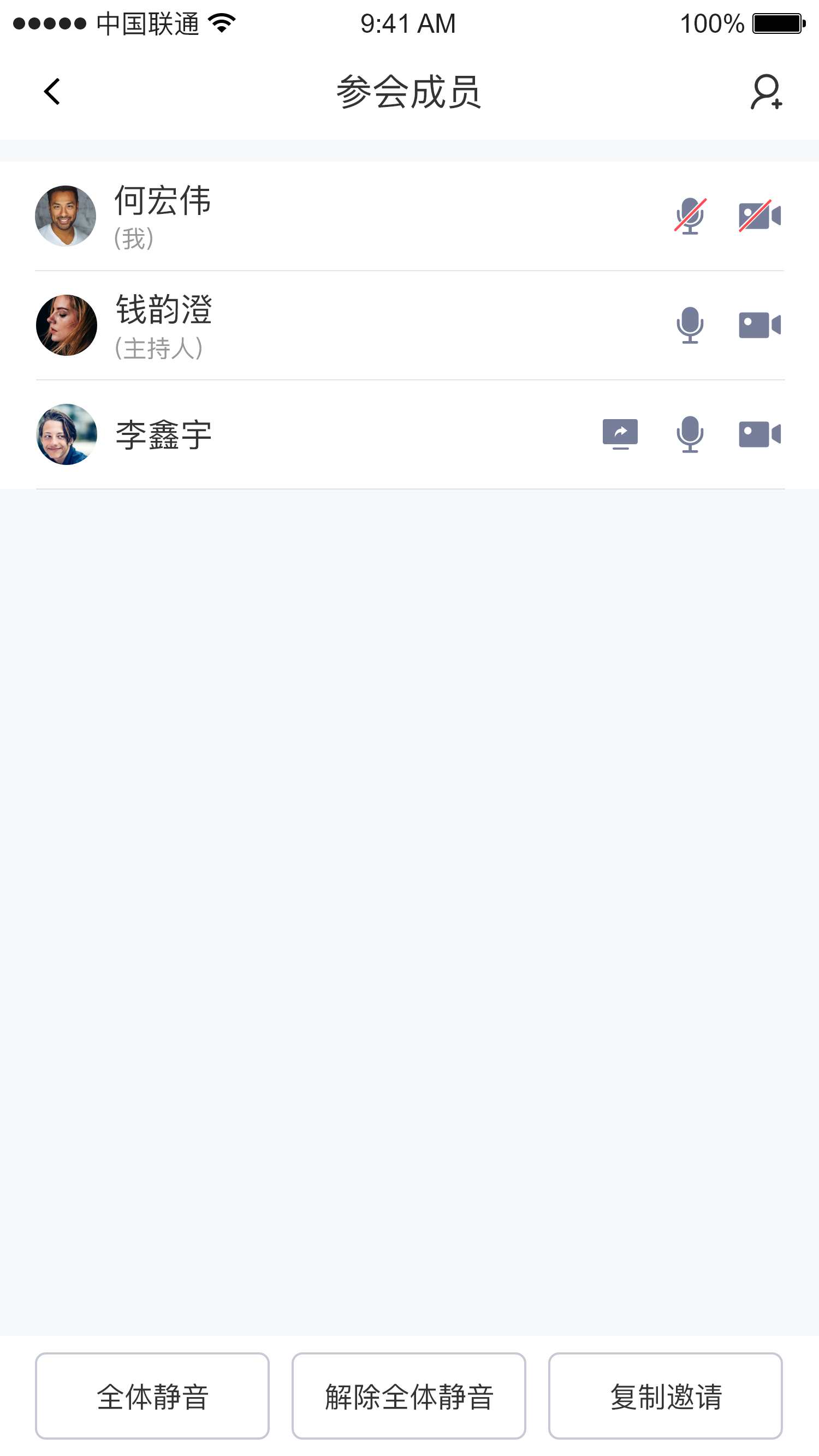
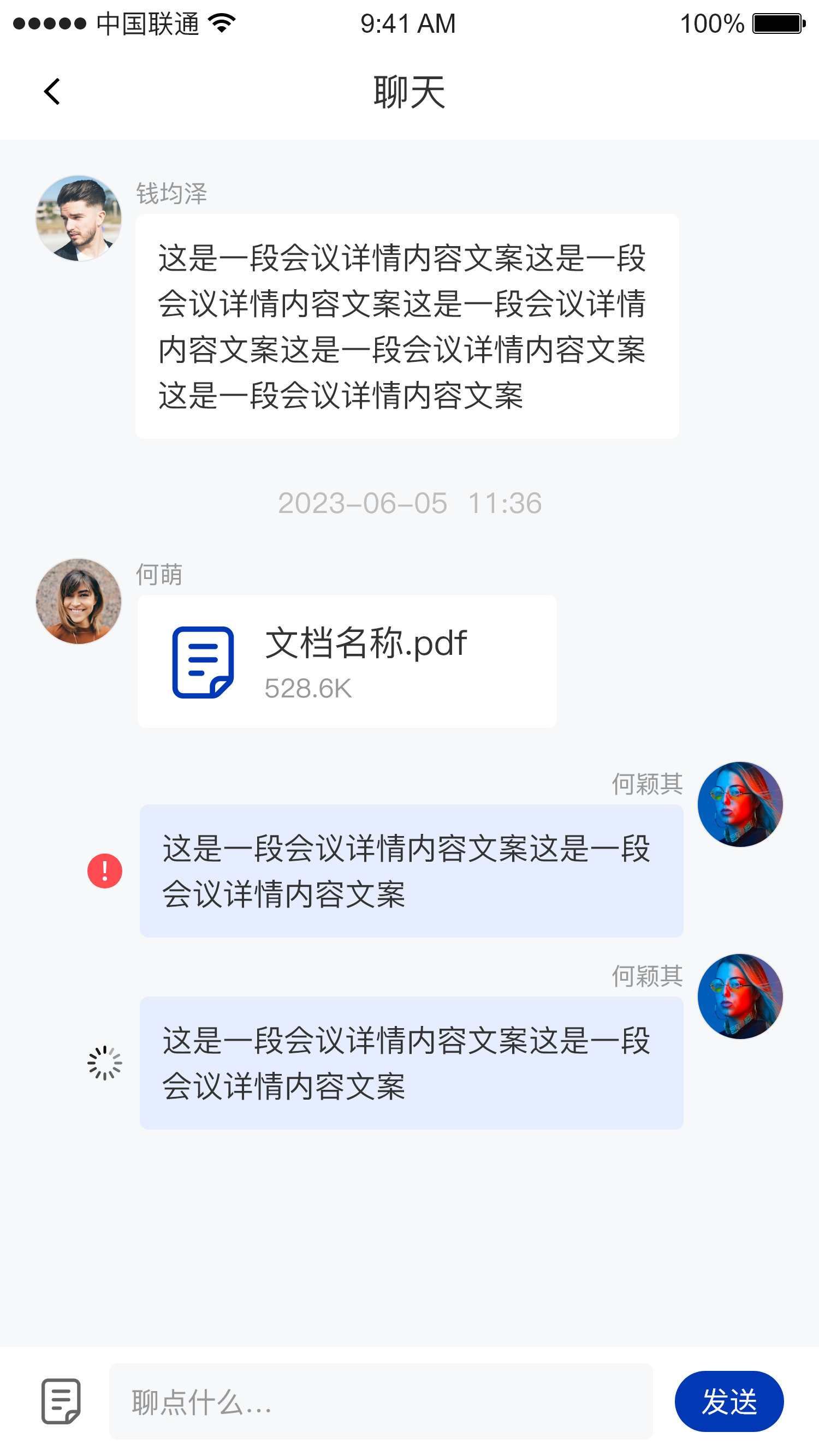
The in-meeting module mainly includes the meeting main page, the member list page, the invite members page, and the chat page
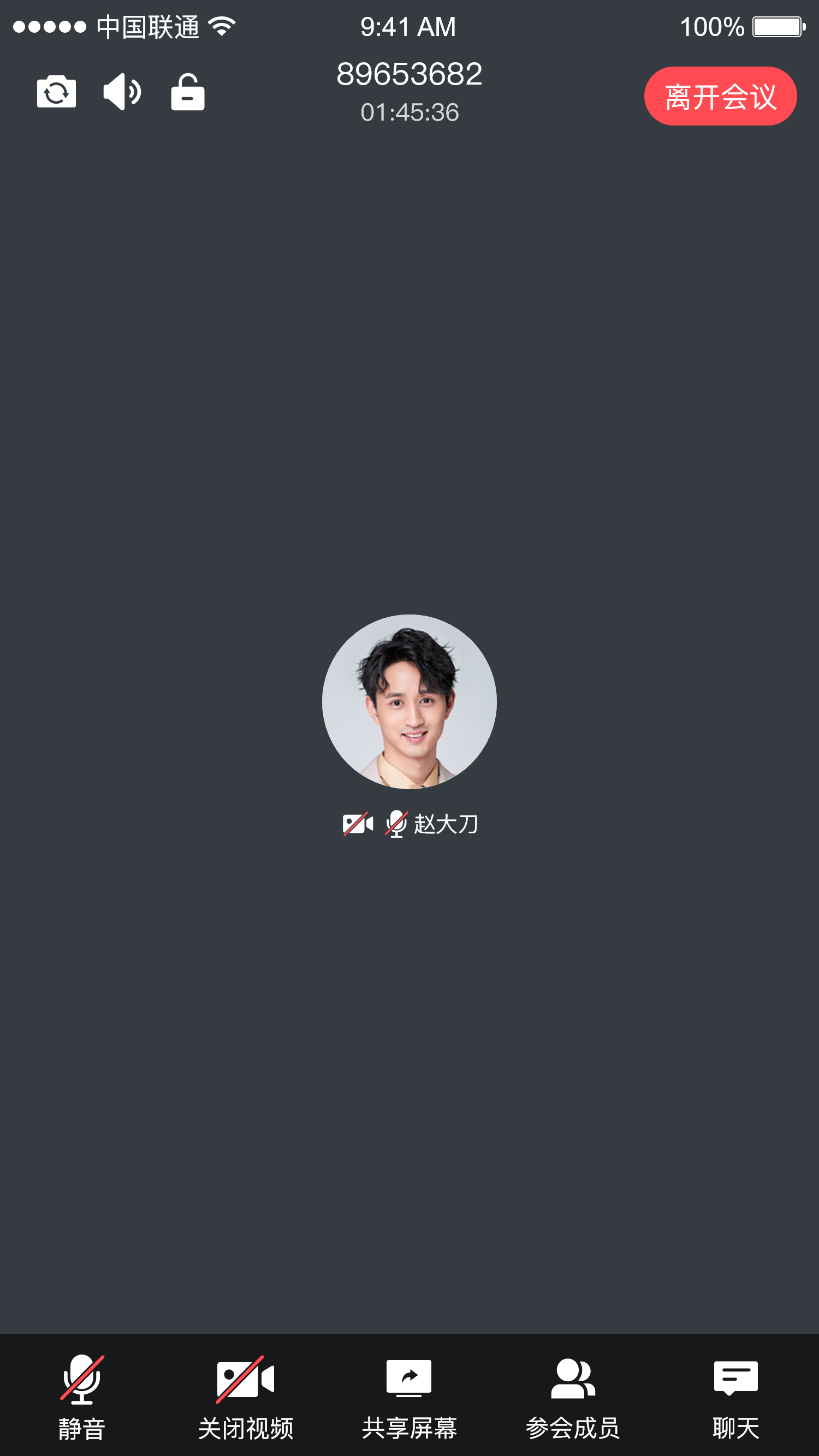
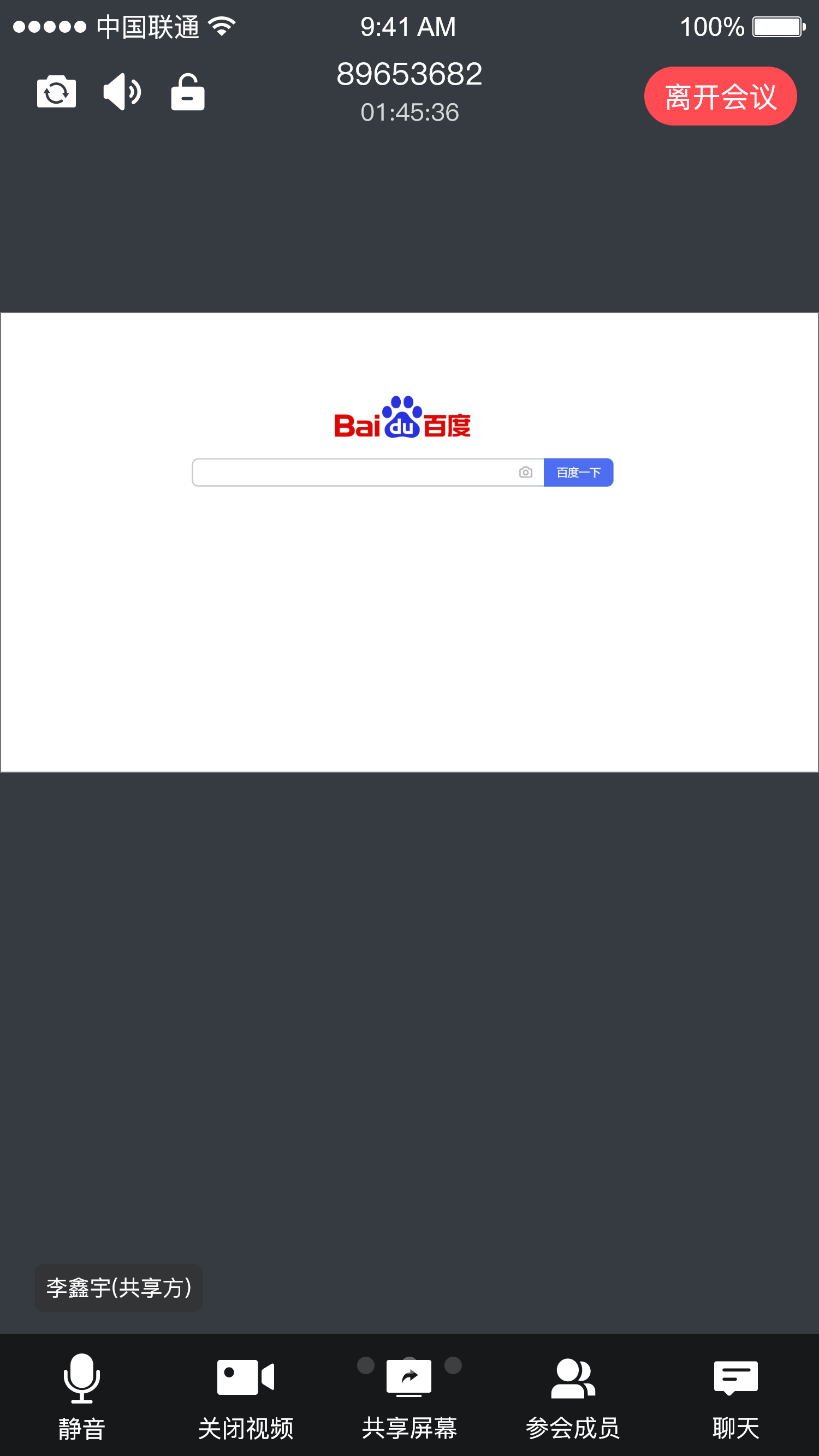
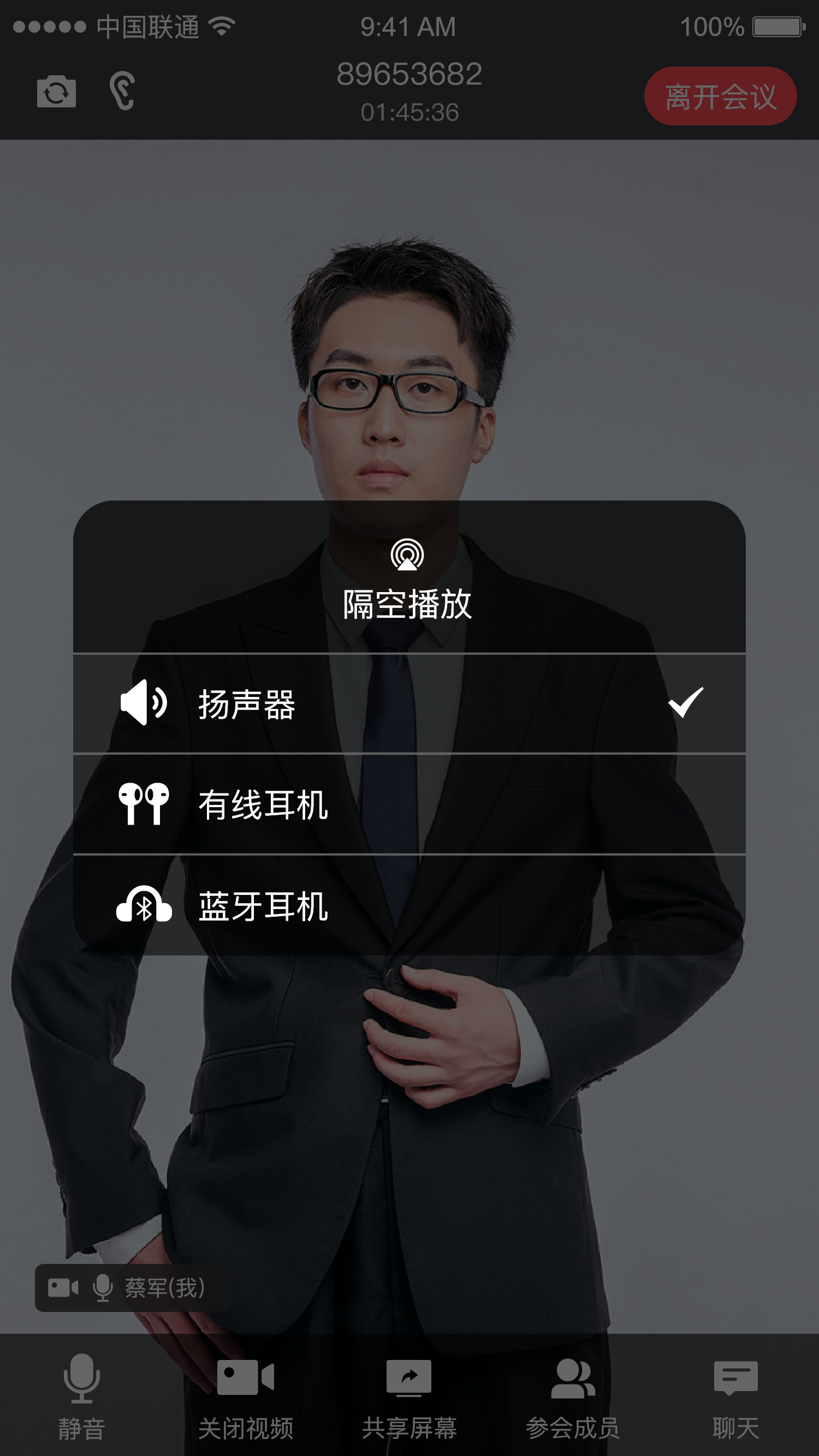
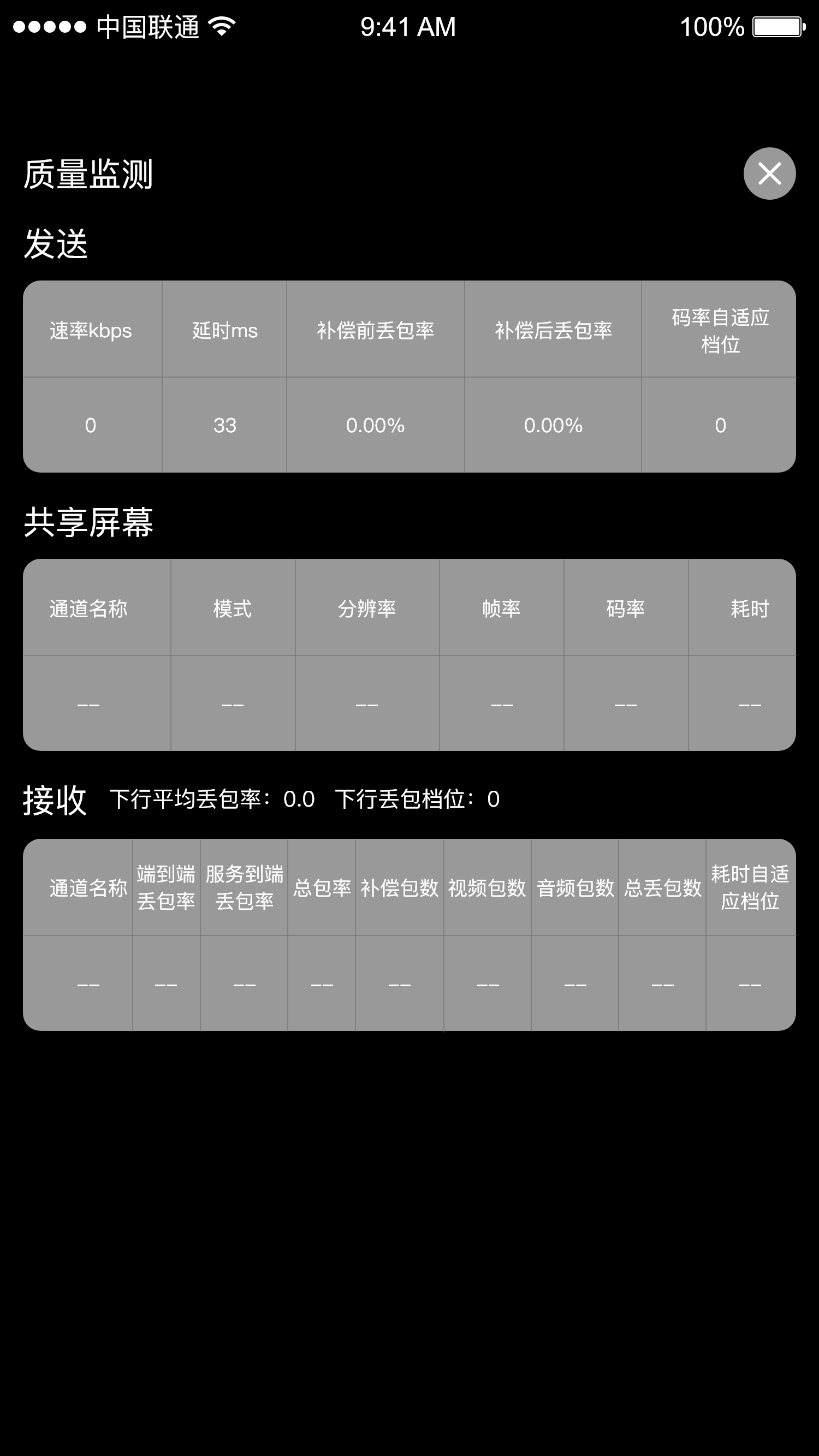
The meeting main page includes the single-member view, the multi-member view, the screen sharing view, the composite meeting view, and the quality monitoring data window
When you exit the meeting main page, you return to the Home page by default
#### Import
* Copy the `inviteMember` and `Meeting` packages under the `cn.seastart.stmlink` path into your project, and they are ready to use
```kotlin theme={null}
stmlink/
├── inviteMember/ # Member invitation module
├── meeting/ # In-meeting module
│ └── chat/ # Chat page
│ └── member/ # In-meeting members page
│ └── room/ # In-meeting main page
```
#### Usage
```kotlin theme={null}
/**
* Navigate to the meeting main page
* roomNo: room number
* name: your own nickname
* avatar: your own avatar
* isOpenCamera: whether to turn on the camera
* isOpenMic: whether to turn on the mic
*/
MeetingRoomActivity.startMeetingRoomPage(
this, roomNo, name, avatar,
isOpenCamera, isOpenMic
)
```
#### Screenshots
| Single-member view | Single-member view | Multi-member view |
| :-: | :-: | :-: |
|
|
### In-meeting module
The in-meeting module mainly includes the meeting main page, the member list page, the invite members page, and the chat page
The meeting main page includes the single-member view, the multi-member view, the screen sharing view, the composite meeting view, and the quality monitoring data window
When you exit the meeting main page, you return to the Home page by default
#### Import
* Copy the `inviteMember` and `Meeting` packages under the `cn.seastart.stmlink` path into your project, and they are ready to use
```kotlin theme={null}
stmlink/
├── inviteMember/ # Member invitation module
├── meeting/ # In-meeting module
│ └── chat/ # Chat page
│ └── member/ # In-meeting members page
│ └── room/ # In-meeting main page
```
#### Usage
```kotlin theme={null}
/**
* Navigate to the meeting main page
* roomNo: room number
* name: your own nickname
* avatar: your own avatar
* isOpenCamera: whether to turn on the camera
* isOpenMic: whether to turn on the mic
*/
MeetingRoomActivity.startMeetingRoomPage(
this, roomNo, name, avatar,
isOpenCamera, isOpenMic
)
```
#### Screenshots
| Single-member view | Single-member view | Multi-member view |
| :-: | :-: | :-: |
|  |
|  |
|  |
| Screen sharing view | Audio routing dialog | Quality monitoring dialog |
| :-: | :-: | :-: |
|
|
| Screen sharing view | Audio routing dialog | Quality monitoring dialog |
| :-: | :-: | :-: |
|  |
|  |
|  |
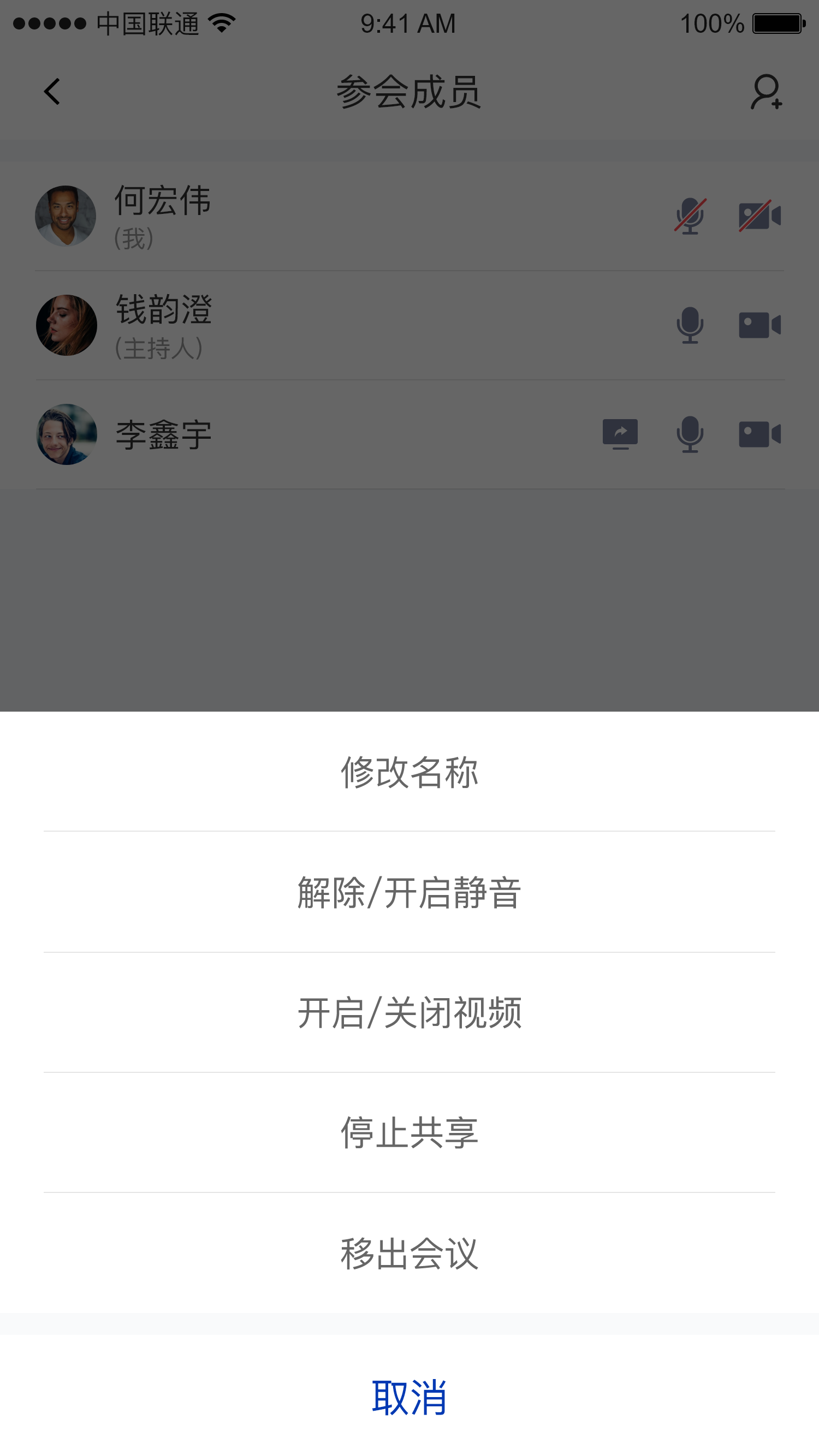
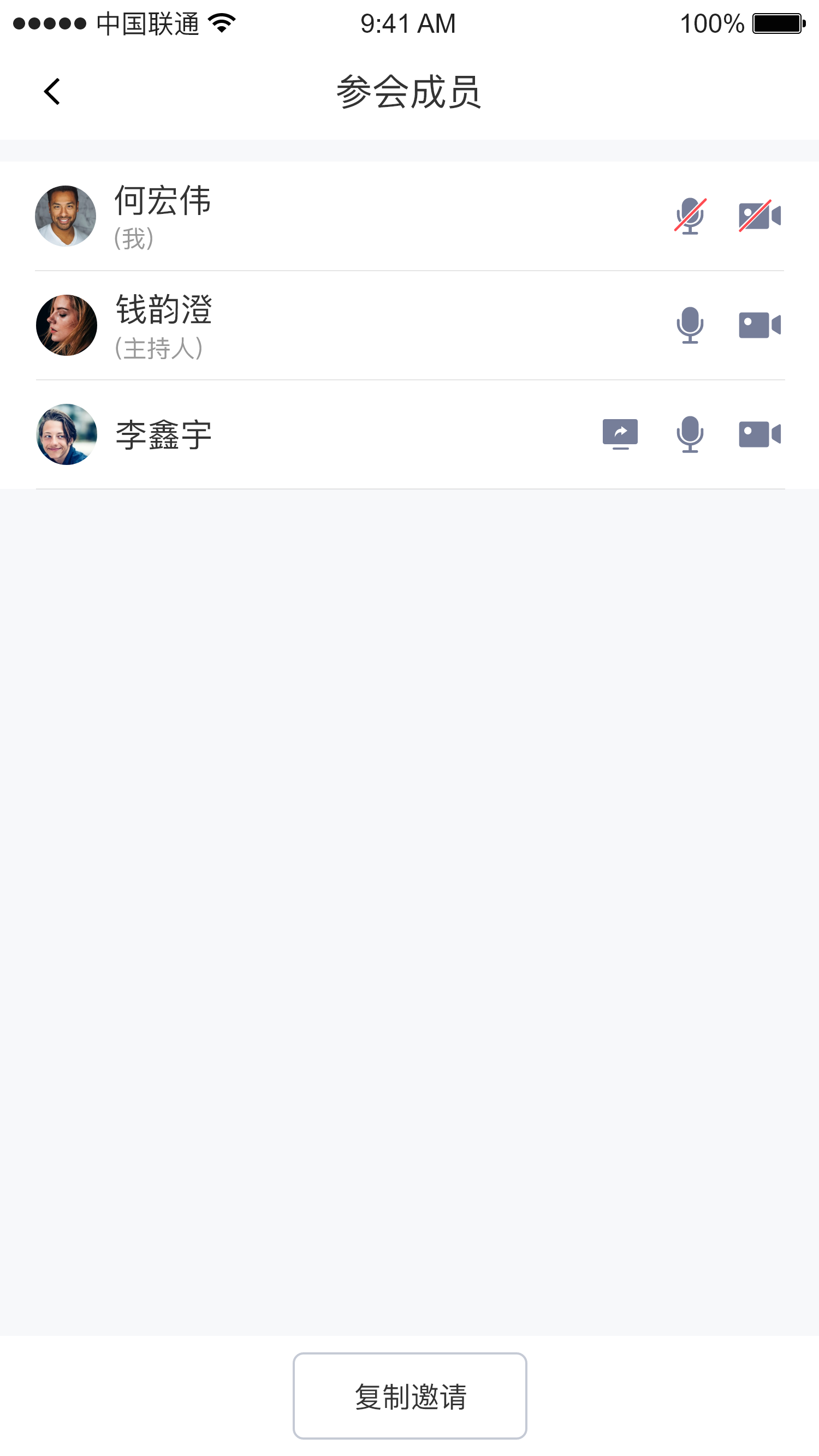
| Member list page (host) | Host actions dialog | Member list page (regular member) |
| :-: | :-: | :-: |
|
|
| Member list page (host) | Host actions dialog | Member list page (regular member) |
| :-: | :-: | :-: |
|  |
|  |
|  |
| Chat page | File picker page |
| :-: | :-: |
|
|
| Chat page | File picker page |
| :-: | :-: |
|  |
|  |
|